Short answer
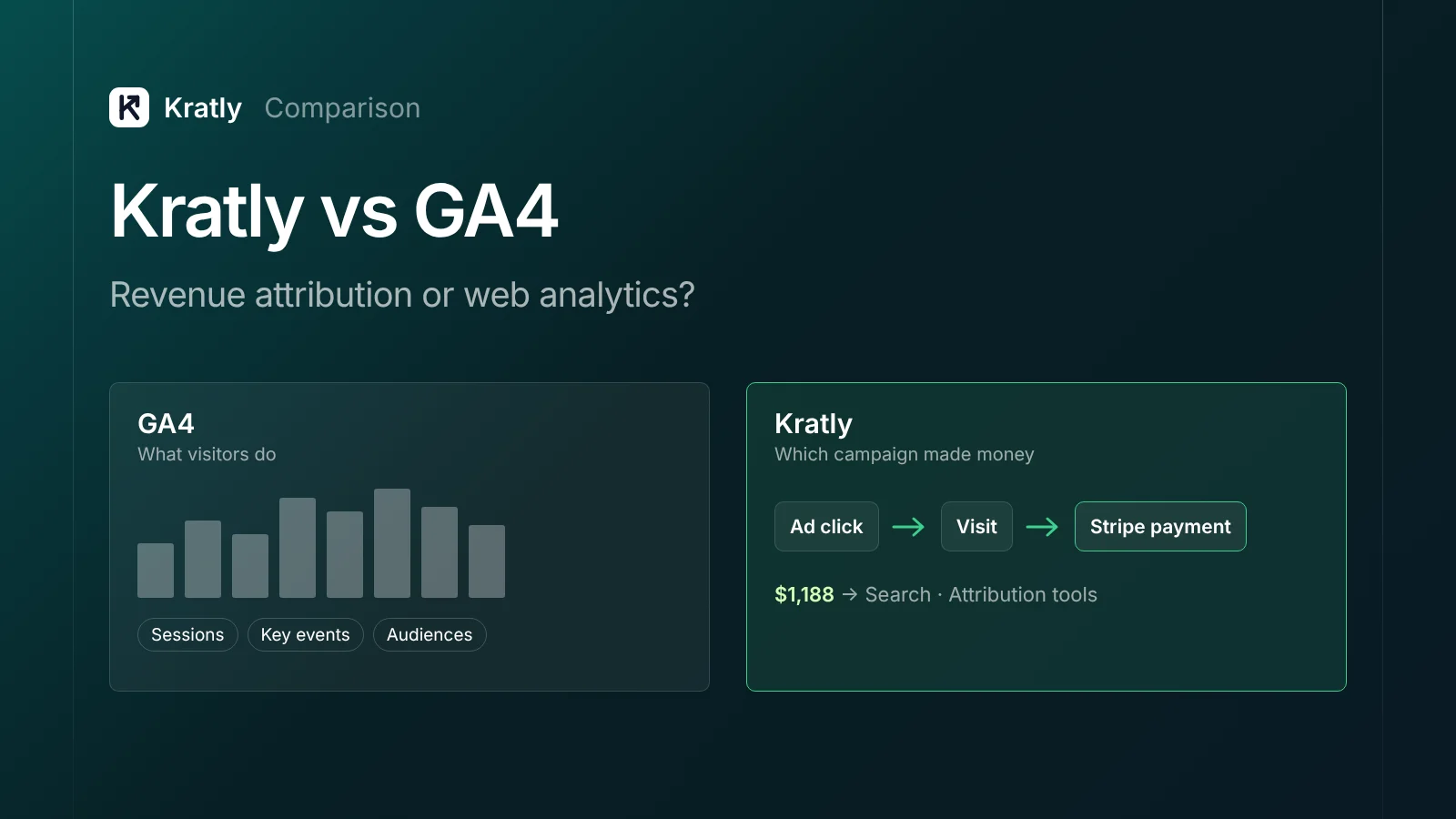
GA4 is free web and app analytics. It's the better tool for behavior, funnels and audiences. Kratly ties ad clicks and visits to Stripe, store and app-store payments, then proposes or makes changes. Most SaaS teams should keep GA4 and add Kratly if they can't see which campaigns bring paying customers.
GA4 and Kratly overlap less than people expect. GA4 is built to answer "what do people do on my site?" Kratly is built to answer "which campaign, page and email made money, and what should we change?"
This page compares them fairly. Every fact about GA4 links to Google's own documentation, as of October 2026.
A note on bias: Kratly is our product. We've said plainly where GA4 is the better choice.
Who each tool is for#
GA4 is for anyone with a website or app who wants to understand visitors. That covers traffic sources, pages, events, funnels and audiences. It's free, so almost every team already has it. Google positions the paid version, Analytics 360, for "the unique measurement needs of large enterprises" (Google).
Kratly is for SaaS, app and store teams that spend on ads and want to know which spend turns into payments. It reads revenue from Stripe, your store or the app stores. Then it acts on what it finds, within limits you set.
The simplest way to put it: GA4 measures the visit. Kratly measures the money, and then does something about it.
What each does#
| GA4 | Kratly | |
|---|---|---|
| Main job | Web and app analytics | Revenue attribution plus changes |
| Revenue source | Events you send it, from tags or the Measurement Protocol | Stripe, store and app-store payments, read directly |
| Attribution models | Data-driven, paid and organic last click, Google paid channels last click | First touch, last touch, linear |
| Site behavior and funnels | Yes, in depth | Visits joined to revenue; not a full behavior suite |
| Audiences for ads | Yes, shared with Google's ad tools | No |
| Raw data export | BigQuery, 1M events a day on standard | API access on the Scale plan |
| Ad platforms | Google tools natively | Google Ads, Microsoft Ads, Meta (Conversions API); LinkedIn coming soon |
| Makes changes | No | Negatives, budget shifts, page fixes, follow-up emails |
| Proves results | Reports and comparisons | Measures changes against a control group |
| Price | Free; 360 via sales | From $49 a month |
GA4 details: attribution, BigQuery Export, Google Analytics.
Pricing as of October 2026#
GA4: free. Google says it gives "the tools, free of charge, to understand the customer journey and improve marketing ROI" (Google). Analytics 360 has no public price; you talk to sales (Google).
There are smaller costs on the free version. BigQuery storage and queries are billed by Google Cloud once you pass the free sandbox. Streaming export adds $0.05 per gigabyte, roughly 600,000 events (Google). The bigger cost is usually time: setting up events, ecommerce data and server-side sends.
Kratly: Starter is $49 a month, Growth $199 and Scale $599. Enterprise is custom. The self-serve plans start with a 14-day free trial.
| Plan | Kratly price | What it adds |
|---|---|---|
| Starter | $49/month | Verified revenue and attribution, channels and ROAS, alerts, weekly brief |
| Growth | $199/month | Opportunities and drafts, follow-up emails, ads and page-fix autopilots |
| Scale | $599/month | Market and competitor research, white-label reports, API access |
| Enterprise | Custom | Custom limits, single sign-on, SLA |
Where GA4 is better#
GA4 does several jobs better than Kratly, and some Kratly doesn't do at all.
- It's free. For most teams, the free version is enough for behavior reporting.
- Behavior and funnels. Explorations, funnel reports, paths and segments go far deeper than Kratly. Kratly is not a full product analytics suite.
- Audiences. GA4 builds audiences you can use in Google's ad tools. Kratly doesn't build ad audiences.
- Google integrations. GA4 works with Google Ads, Search Ads 360, Display & Video 360 and Search Console (Google).
- Raw data. Standard properties can export events to BigQuery, up to 1 million a day, with streaming export unlimited (Google).
- Data-driven attribution. GA4's data-driven model spreads credit using Google's own modeling. Kratly offers rule-based models only.
- Scale. Analytics 360 raises limits sharply, for example 1 billion events per exploration query, against 10 million on standard (Google).
If your question is "why do visitors drop off on step three of sign-up?", use GA4.
Where Kratly is better#
It reads payments where they happen#
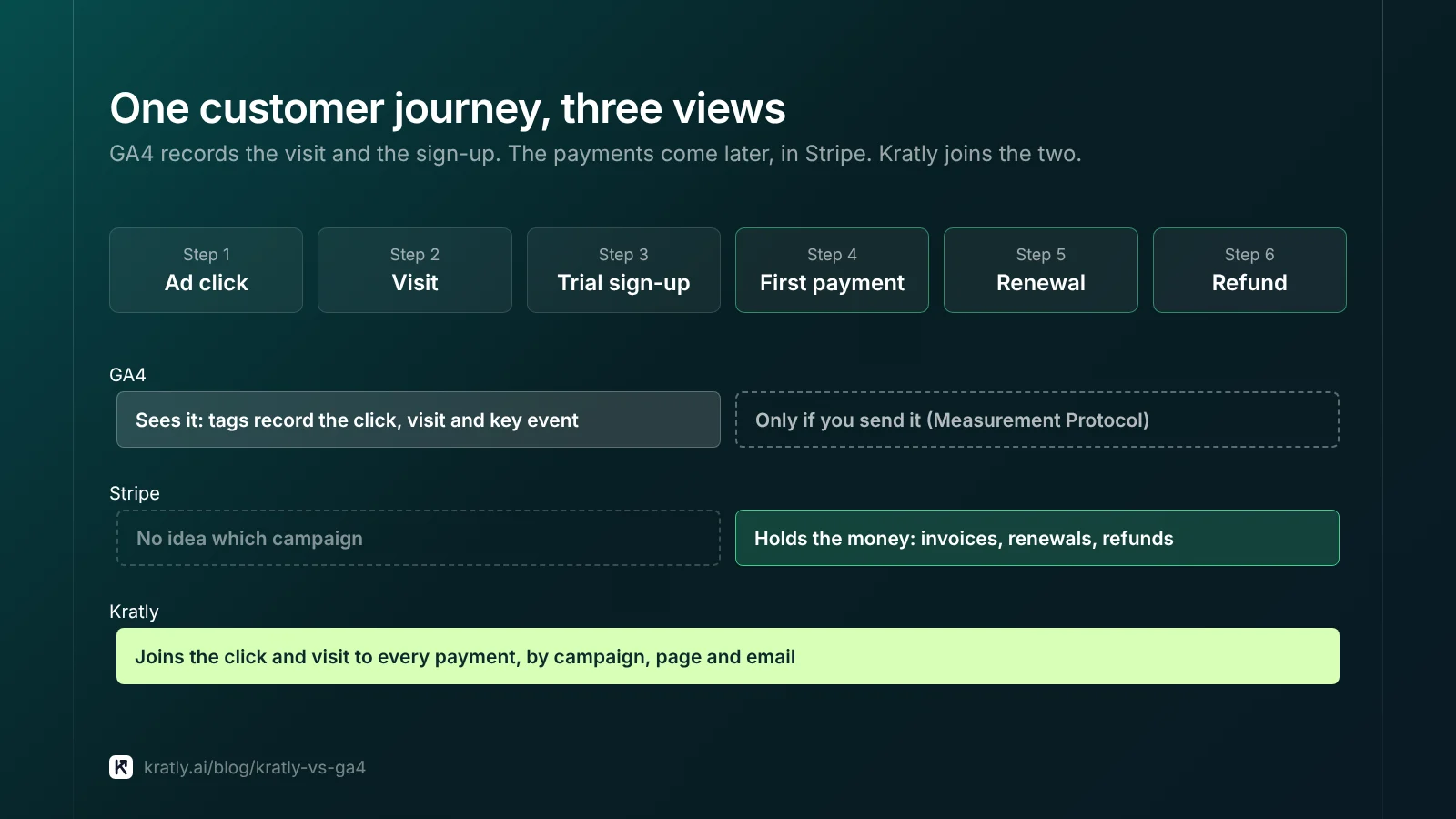
GA4 only knows about revenue you send it. For SaaS, much of the money arrives later: the first invoice after a trial, renewals, upgrades and refunds. Those happen in Stripe, not in the browser.
You can send them to GA4 with the Measurement Protocol. Google says the protocol is meant "to supplement, not replace" tag-based collection, and that "only partial reporting may be available" with it alone (Google). Someone has to build and maintain that link.
Kratly reads Stripe, store and app-store payments directly and joins them to the click and visit that came first.
Simple models on real revenue#
GA4 now offers three models. First click, linear, time decay and position-based were removed in November 2023 (Google). Kratly shows the same Stripe revenue under first touch, last touch and linear. Comparing them shows where credit is contested. See first touch vs last touch vs last non-direct click.
Longer memory for long cycles#
On standard GA4, user and event data in explorations and funnel reports is kept for 2 or 14 months. Standard aggregated reports aren't affected (Google). If you want to study cohorts that pay over a year or more, that window matters.
It acts, then checks#
GA4 reports. Kratly finds wasted ad spend and proposes negatives and budget shifts. It suggests page fixes, drafts content and sends follow-up emails through your SendGrid account. Each change runs as Suggest, Ask first or Autopilot within limits, and is logged and can be undone. Results are measured against a control group, not a before-and-after chart. More on that in did my marketing change work?
Can you use both?#
Yes, and most teams should. They answer different questions.
| Question | Use |
|---|---|
| Where do visitors drop off in sign-up? | GA4 |
| Which pages do visitors read before they start a trial? | GA4 |
| Which audiences should I build for remarketing? | GA4 |
| Which campaign brought customers who actually paid? | Kratly |
| Which search terms cost money but never bring a paying customer? | Kratly |
| Did last month's change raise revenue, compared with a control? | Kratly |
A sensible setup:
- Keep GA4 for behavior. Track a short list of key events, as in our GA4 key events for SaaS guide.
- Use the same UTMs everywhere, so both tools label campaigns the same way. See our UTM naming convention.
- Use Kratly for revenue by campaign, page and email, and for the changes.
- When the two disagree, trust the payment. GA4 and ad platforms are directional; Stripe holds the money. Our SaaS marketing attribution guide explains why the numbers never match exactly.
How to decide#
Choose GA4 alone if:
- You don't run paid ads yet, or spend very little.
- Your main questions are about site behavior and content.
- You have an analyst who can send Stripe revenue to GA4 and keep it working.
Add Kratly if:
- You spend on ads and can't say which campaigns bring paying customers.
- Revenue arrives after a trial, as renewals, or through an app store.
- You know what's wrong but nobody has time to act on it.
- You want each change measured against a control.
How to do this in Kratly#
Kratly sits next to GA4. You don't need to remove anything.
- Connect Stripe and your ad accounts. Kratly reads payments, plus spend from Google Ads, Microsoft Ads or Meta.
- Install Kratly's tracking on your site. It records visits and click IDs, so payments can be joined to campaigns.
- Compare revenue by campaign. Switch between first touch, last touch and linear to see where credit moves.
- Review proposed changes. Negatives, budget shifts, page fixes and follow-up emails, ranked by revenue at stake.
- Measure against a control. Keep the changes that paid.
Want a quick check first? The free wasted-spend checker reads a Google Ads search-terms CSV in your browser.
Questions, answered
Is Kratly a GA4 alternative?
Partly. Kratly replaces the revenue side: which campaigns, pages and emails brought payments. It doesn't replace GA4's behavior reports, explorations or audiences. Most teams keep GA4 for those and use Kratly for revenue and changes.
Can GA4 track Stripe revenue?
Yes, if you send it. You can record purchases with tags and send later payments, such as renewals, through the Measurement Protocol. Google says the protocol supplements tag-based collection rather than replacing it, so the setup needs care and upkeep.
Does GA4 still have first-click and linear attribution?
No. Google removed first click, linear, time decay and position-based models in November 2023. GA4 now offers data-driven, paid and organic last click, and Google paid channels last click.
Is GA4 free?
Yes. The standard version is free. Analytics 360, the enterprise version, is sold through Google's sales team with no public price. BigQuery storage and streaming export can add small Google Cloud costs.
Do I need both GA4 and Kratly?
If you spend on ads and sell through Stripe, a store or app stores, using both is common. GA4 explains behavior. Kratly ties spend to payments and acts on it. If you don't run ads yet, GA4 alone is usually enough.
Written by
Priyansh Kumar
Priyansh Kumar has spent more than a decade in growth, scaling brands from 1 to 10 and from 10 to 100. He now builds Kratly, an autonomous growth team that ties every campaign, page and email to the revenue it brings.
Sources
- Google Marketing Platform: Google Analytics · Analytics 360
- Analytics Help: Get started with attribution · Data retention · BigQuery Export · Analytics 360 limits
- Google for Developers: Measurement Protocol
All GA4 details as of October 2026.
Was this article useful?