Short answer
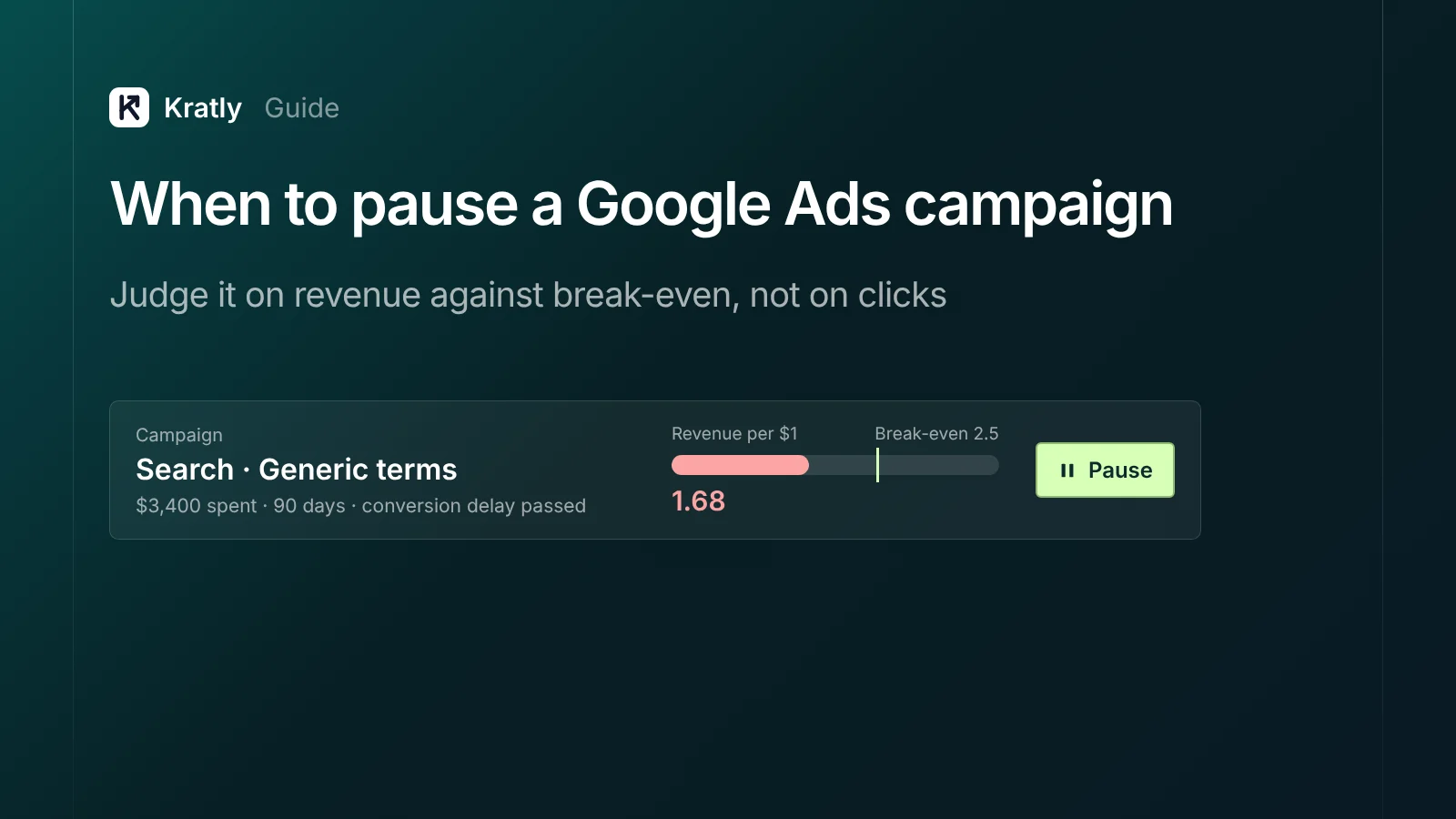
Pause a Google Ads campaign when its revenue per dollar stays below break-even after it has spent at least two to three times your target cost per customer, and after its normal conversion delay has passed. First rule out broken tracking and fixable leaks. If the campaign is close to break-even, lower its budget or target instead of pausing it.
You're losing money on a campaign, but you're scared to touch it. One advertiser wrote: "I'm cautious about pausing the ads as I know this will put it into a month long re-learning phase" (UK Business Forums).
Others pause on the wrong signal. A campaign with a ROAS of 3.8 can still lose money once product costs, fees and refunds come out (Shopify Community). This guide gives you a rule based on revenue, and the facts about what pausing actually does.
What happens when you pause a Google Ads campaign?#
Pausing stops the ads and the charges. It keeps "all settings and history," and you can resume at any time (Google Ads Help).
Removing is permanent. "You cannot resume or restore a removed campaign." You can still see past data, but you can't edit or restart it. If you might come back, pause. Don't remove.
Smart Bidding learning. Google lists a bid strategy that is "recently created or reactivated" as a cause of the "Learning" status. Learning typically lasts "a few conversion cycles (1-2 typically)" (Google Ads Help). So a resumed campaign may show Learning for a while. It's not a month by default. It depends on how fast your conversions come in.
Budget and target changes. In October 2026, a Google product manager said on Google's Ads Decoded podcast that changing targets or budgets on an established campaign doesn't trigger a learning period (PPC Land). Google's help pages still advise allowing one to two conversion cycles for things to stabilise after major bidding or budget changes (Google Ads Help). Either way, cutting a budget is a smaller step than pausing.
Quality Score. There's no current Google help page saying pausing hurts Quality Score. The only Google statement we found is old: in 2007, a Google rep said pausing campaigns "has no effect on your Quality Score" (Search Engine Roundtable). Treat claims that pausing "resets" Quality Score with caution.
The bottom line: pausing is reversible and less risky than its reputation. Keeping a losing campaign running is the bigger cost.
The revenue rule: compare ROAS by campaign with break-even#
Clicks, CTR and cost per click don't tell you whether a campaign pays. Revenue does. Look at ROAS by campaign, measured on real revenue, and compare it with what you need to break even.
For online stores: break-even ROAS#
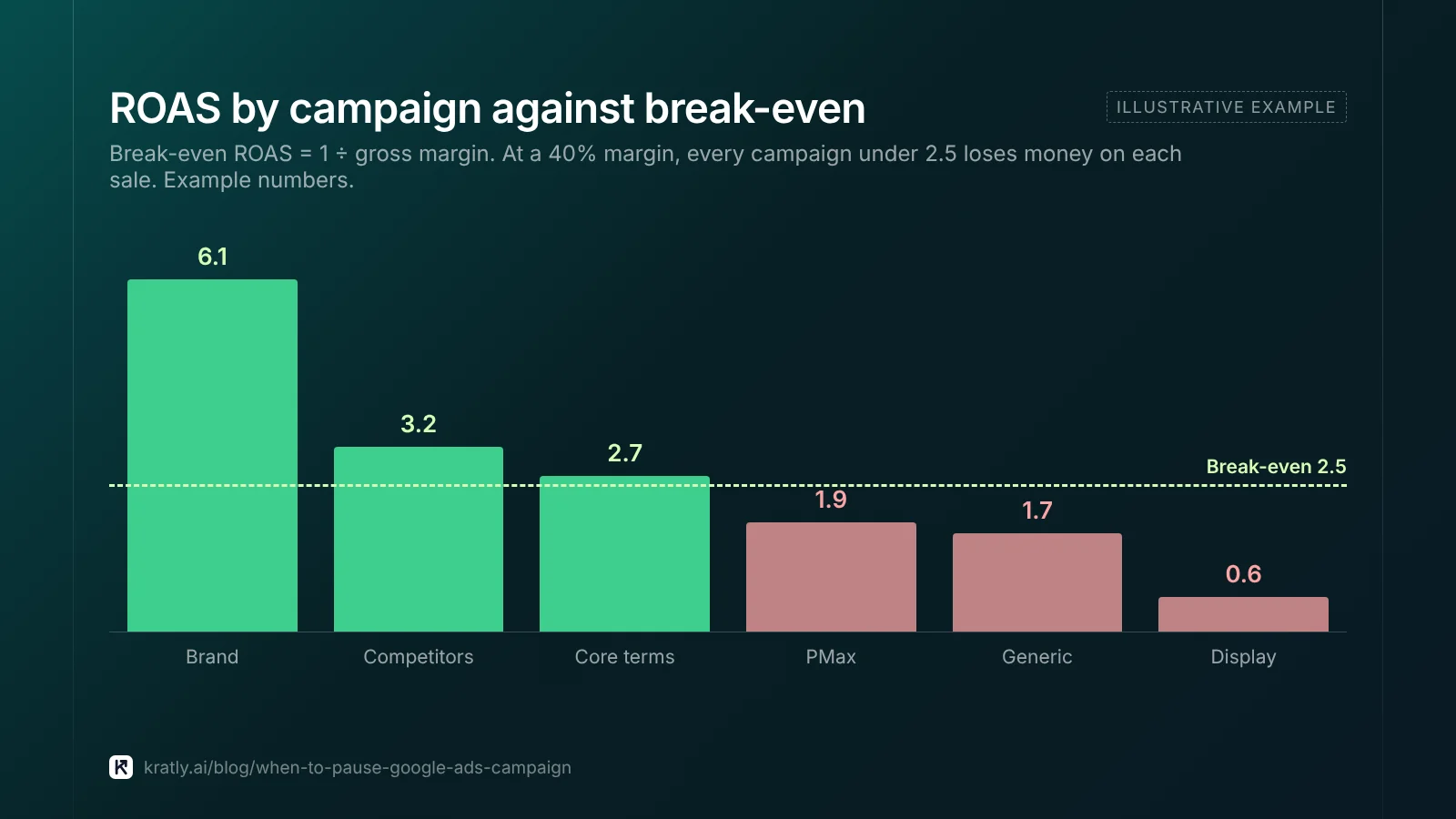
Break-even ROAS = 1 ÷ gross margin (Amazon Ads).
| Gross margin | Break-even ROAS |
|---|---|
| 20% | 5.0 |
| 40% | 2.5 |
| 60% | 1.67 |
| 80% | 1.25 |
Use your margin after shipping, payment fees, discounts and refunds, not the product margin alone. A campaign below this line loses money on every sale.
For SaaS: cost per paying customer and payback#
For subscriptions, the first payment is small and the value comes over months. So compare cost per paying customer (CAC) with how fast you earn it back.
Published benchmarks for CAC payback (months of gross margin to recover acquisition cost):
| Source | Benchmark |
|---|---|
| Bessemer, State of the Cloud 2023 | 0–6 months best, 6–12 better, 12–18 good (Bessemer) |
| Bessemer, Scaling to $100M | Under 12 months for SMB customers, under 18 for mid-market (Bessemer) |
| David Skok, SaaS metrics | Recover CAC in under 12 months; lifetime value over 3× CAC (For Entrepreneurs) |
Payback for a single paid campaign should be faster than your blended company number. Paid search is usually your most measurable and most expensive channel.
Measure it on payments, not sign-ups. One founder's paid test brought "6 total signups / 2 actually used the product / 0 converted to paid" (Indie Hackers). If Google Ads doesn't yet see your Stripe revenue, set that up first: track Stripe conversions in Google Ads.
Before you judge: enough data and conversion lag#
Two mistakes cause most bad pause decisions.
Judging too early. A campaign with $300 of spend and no sale may just be unlucky. Some tools wait until a keyword has spent three times your target cost per acquisition with no conversion before flagging it (Opteo). Google suggests judging bidding changes over at least two full conversion cycles, or a month, or 50 conversions (Google Ads Help).
Ignoring conversion lag. Spend shows up today. Conversions can arrive up to 90 days after the click (Google Ads Help). So the last few weeks always look worse than they'll end up.
To see your lag, segment conversions by Days to conversion with a date range that ends at least 30 days ago. If most sales arrive within 14 days, don't judge the last 14 days. For SaaS with trials, your lag is your trial length plus the time to first payment.
Google Ads campaign not profitable? Check these first#
Before pausing, make sure the campaign is really losing money and not just leaking it.
- Is revenue being tracked? If campaigns show conversions but $0 value, fix that before judging anything. See why Google Ads shows $0 revenue per campaign.
- Is it bidding on the right goal? A campaign optimising for sign-ups will find sign-ups, not payers.
- Is it paying for wrong searches? Sort the search terms by spend with no sale. A few bad terms can sink a good campaign. See how to find negative keywords.
- Are settings leaking budget? Search Partners, Display expansion, location set to "presence or interest", or auto-applied recommendations. The full list is in Google Ads wasted spend: the 9 places your budget leaks.
- Is it brand traffic in disguise? If a campaign mostly buys your own brand name, its ROAS looks great but adds little. Test it with a holdout before deciding: see did your change really work?
If fixing these brings the campaign above break-even, keep it. If not, read on.
Pause, cut or fix: a decision table#
| What you see (after enough data and lag) | Do this |
|---|---|
| Revenue per dollar well below break-even, leaks already fixed | Pause |
| No paying customers after 3× target cost per customer | Pause |
| Slightly below break-even, improving | Lower budget or raise target ROAS, recheck in 2 cycles |
| Profitable at some hours or days, not others | Ad schedule: run only when it pays |
| Above break-even, budget-limited | Raise budget gradually |
| Unsure whether the change would help | Run a campaign experiment |
| Above break-even only thanks to brand searches | Test with a holdout, then decide |
How to cut ad spend without pausing#
If you need to cut ad spend but the campaign isn't clearly losing, you have gentler options.
- Lower the daily budget. Google can spend up to 2× your average daily budget on a single day but paces to your monthly limit (Google Ads Help).
- Raise target ROAS or lower target CPA. A stricter target spends less and buys only the more efficient traffic. Google warns a target set too high "may limit the amount of traffic." Change it in steps and wait one to two conversion cycles between changes.
- Use the ad schedule. Run only on the hours and days that pay (Google Ads Help).
- Run an experiment. Split traffic between the current campaign and a lower budget or stricter target, then apply the winner (Google Ads Help).
How to do this in Kratly#
- Connect Google Ads and Stripe. Kratly shows revenue and cost per paying customer for every campaign.
- See break-even. Kratly marks each campaign's revenue per dollar against the 1x break-even line, so you can apply your own margin or payback target.
- Ask which campaigns to fix first. Kratly ranks losing campaigns by money at stake and suggests where that budget should go instead.
- Make the change and measure it. Pause or cut the budget in Google Ads, and Kratly measures what the change did to revenue against a control.
Go deeper: Incrementality testing on a small budget: holdouts for startups
Questions, answered
Does pausing Google Ads hurt performance?
Pausing keeps all settings and history, and you can resume any time. A resumed campaign may show "Learning" for one or two conversion cycles while Smart Bidding recalibrates. That's usually a smaller cost than continuing to spend on a campaign that loses money.
Should I pause or remove a Google Ads campaign?
Pause it if there's any chance you'll use it again. Removing is permanent: you can see past data but can't restart or edit the campaign. Remove only campaigns you're sure you won't need.
Should I pause Google Ads or lower the budget?
Lower the budget or tighten the target if the campaign is near break-even or improving. Pause it if it stays well below break-even after enough spend and after conversion lag, and you've already fixed tracking and leaks.
How long should I wait before judging a Google Ads campaign?
Until it has spent at least two to three times your target cost per paying customer, and until your normal conversion delay has passed. Google suggests judging bidding changes over two conversion cycles, a month or 50 conversions.
What is a good ROAS for Google Ads?
Any ROAS above your break-even, which is 1 divided by your gross margin. At 40% margin, break-even is 2.5. For SaaS, judge cost per paying customer against how fast you earn it back, ideally within 12 months.
Written by
Priyansh Kumar
Priyansh Kumar has spent more than a decade in growth, scaling brands from 1 to 10 and from 10 to 100. He now builds Kratly, an autonomous growth team that ties every campaign, page and email to the revenue it brings.
Sources
- Google Ads Help: Pause or remove a campaign · Bid strategy learning · Smart Bidding best practices · Target ROAS · Conversion delay · Ad schedule · Experiments
- PPC Land: Google PM on target and budget changes (Oct 2026)
- Amazon Ads: Ads math and break-even ROAS
- Bessemer Venture Partners: State of the Cloud 2023 · Scaling to $100M
- For Entrepreneurs (David Skok): SaaS metrics
Was this article useful?