Short answer
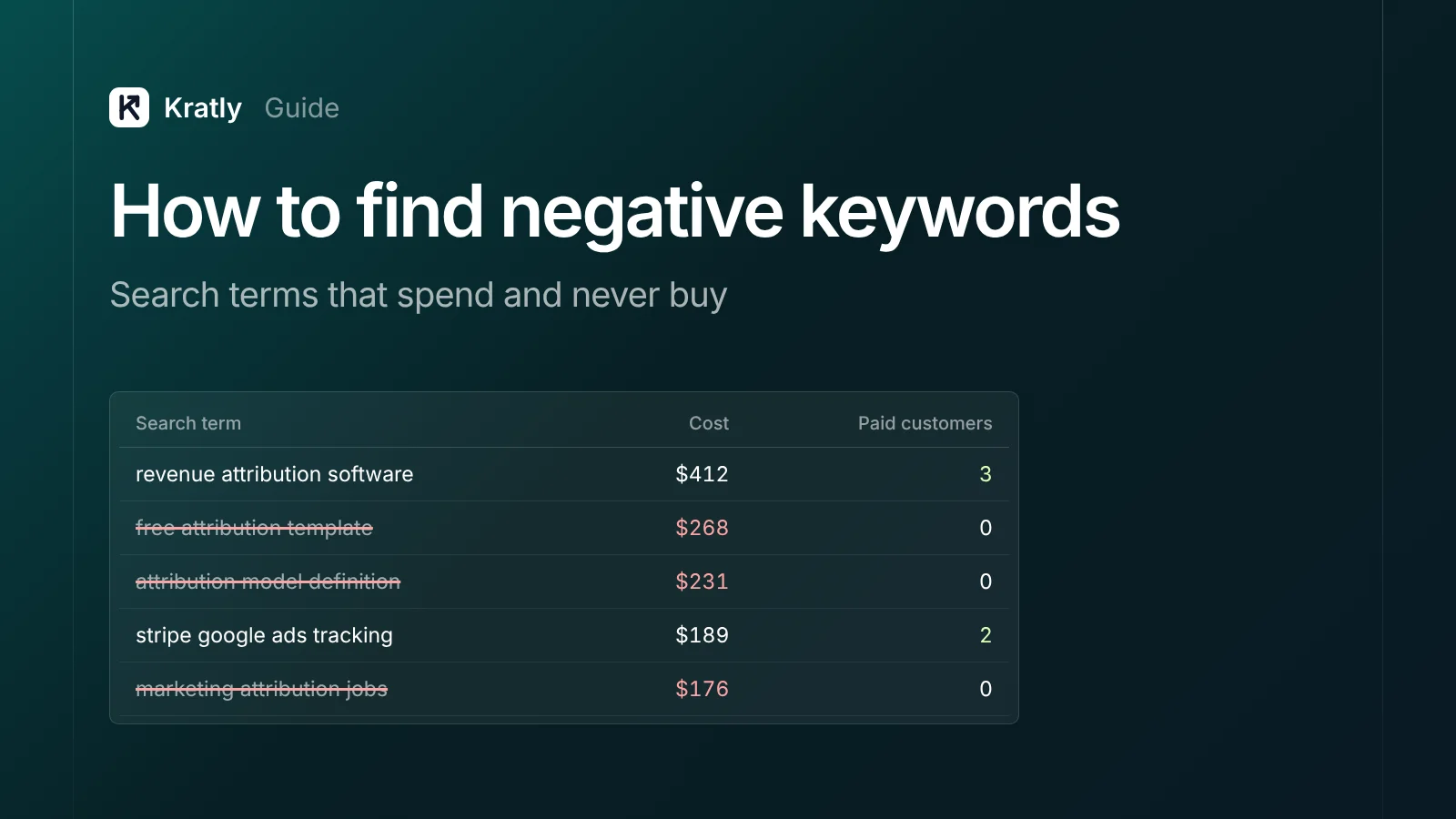
To find negative keywords, open the Google Ads search terms report for the last 90 days, filter to zero conversions and sort by cost. Flag terms that spent more than your target cost per customer without a sale. Run an n-gram analysis, check Performance Max terms, then add negatives at the right match type and level.
You picked careful keywords. Google matched them to searches you never chose. One founder on Indie Hackers spent two weeks on Google Ads and found "a lot of keywords that I didn't target in my campaign generated a lot of clicks" (Indie Hackers). A reply in the thread put it simply: "Those terms are just burning cash."
Negative keywords stop that. Here's how to find the right ones without blocking traffic that pays.
Search terms vs keywords: where waste hides#
A keyword is what you add to an ad group. A search term is what a person actually typed (Google Ads Help). You bid on keywords. You pay for search terms.
With broad match, the default, those two can be far apart. A negative keyword tells Google not to show your ad for a search containing that word or phrase.
Wasted search terms are searches that cost money and never produce a paying customer. Finding them is the most direct way to cut wasted spend. For the other eight places budget leaks, see our pillar guide on Google Ads wasted spend.
How to find negative keywords in 6 steps#
Step 1: Pull 90 days of search terms#
Go to Campaigns › Insights and reports › Search terms (Google Ads Help). Set the date range to 90 days. Shorter ranges hide terms that spend slowly.
Add columns for Cost, Clicks, Conversions and Conv. value, and Match type. Download it to a spreadsheet.
Make sure your conversions are real sales or paid sign-ups. If you're counting page views or free trials, a term can "convert" and still never pay. Fix that first: see why Google Ads shows $0 revenue per campaign.
Step 2: Filter to zero conversions and sort by cost#
Filter conversions to 0 and sort cost from high to low. Read the top 50 rows.
For each term, ask one question: could someone typing this become a paying customer? Mark each one:
- Negative: wrong intent ("jobs", "free download", "login", another product category)
- Wait: right intent, too little data yet
- Keep: right intent; the problem is the ad or landing page, not the term
Step 3: Apply a spend threshold#
"Zero conversions" alone isn't enough. A term with $4 of spend hasn't had a chance. Practitioners use different rules:
| Rule | Source |
|---|---|
| Zero conversions after spending 2–3× your target CPA | Demand Curve (stated for keywords and ad groups) |
| Zero conversions and cost above the campaign's typical CPA, over 30 and 90 days | Optmyzr |
| N-grams with over 150 clicks and zero conversions | Adalysis |
There's no official standard. A sensible starting point: review any term that spent more than your target cost per paying customer with no sale. Wrong-intent terms can go immediately, whatever they spent.
Step 4: Run an n-gram analysis#
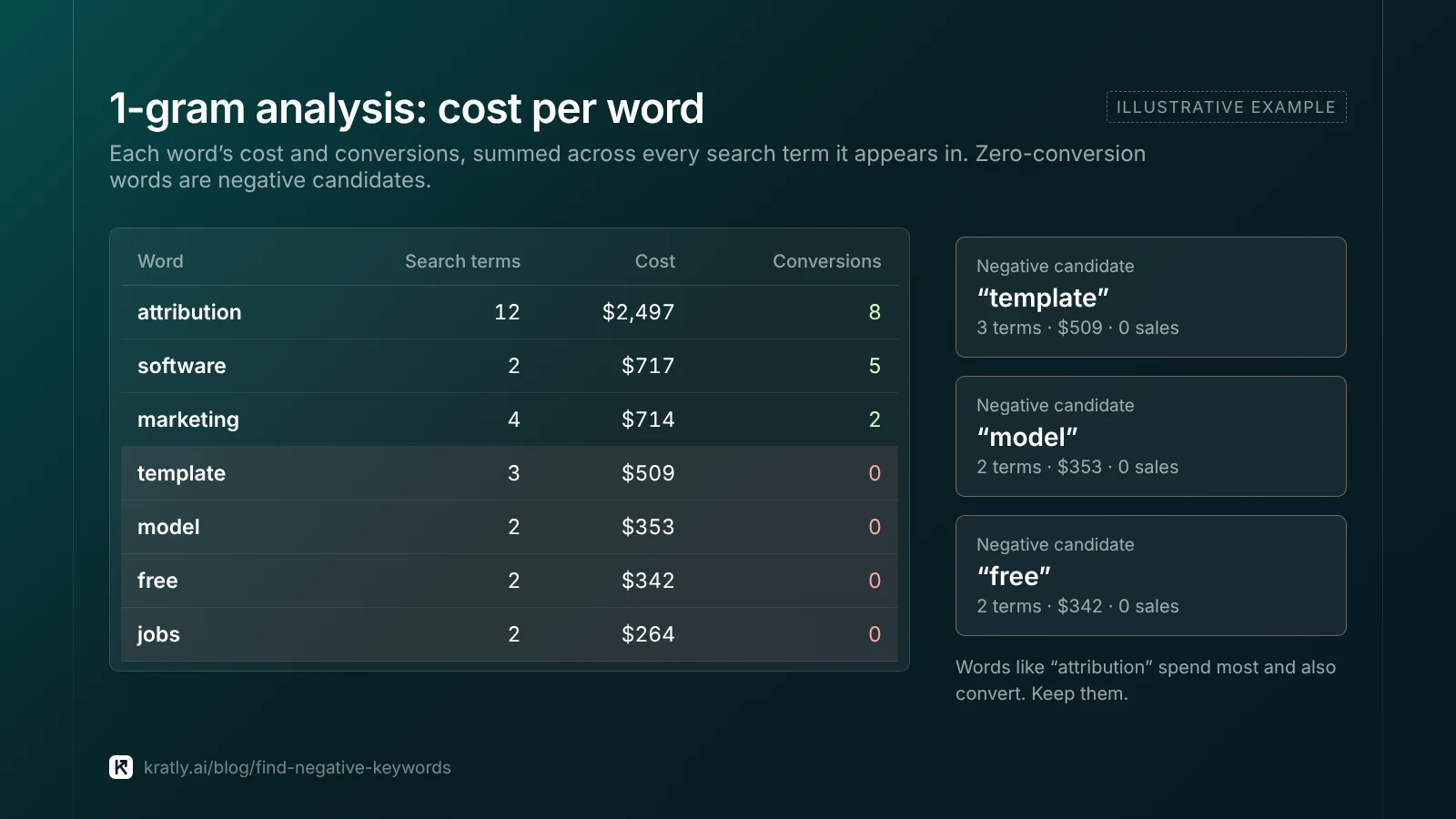
Single search terms are often too rare to judge. Their words aren't. If "template" appears in 80 different searches that together spent $900 and never converted, that's one negative, not 80.
An n-gram is a word (1-gram) or pair of words (2-gram) inside a search term. Add up cost and conversions per n-gram to find patterns.
In Google Sheets, with search terms in column A, cost in B and conversions in C:
- List every word:
=SORT(UNIQUE(TOCOL(SPLIT(LOWER(FILTER(A2:A500,A2:A500<>""))," "),1))) - Cost per word (word in E2):
=SUMPRODUCT(REGEXMATCH(" "&LOWER($A$2:$A$500)&" "," "&E2&" ")*$B$2:$B$500) - Repeat step 2 with column C for conversions.
- Sort by cost where conversions are 0.
Adjust the ranges to your data. For large accounts, an n-gram script does the same job inside Google Ads (Search Engine Land; WordStream).
Step 5: Check Performance Max and the hidden terms#
Performance Max has its own search terms report, under Campaigns › Search terms, with data from March 2023 (Google Ads Help). Since 2025, PMax supports up to 10,000 negatives per campaign and shared negative lists (PPC Land; Google Ads Help). These apply to Search and Shopping inventory only.
Hidden terms. The report only shows searches with enough volume across Google (Google Ads Help). The rest go into "Other search terms". In one account, that line held about 80% of spend (Search Engine Journal).
Use search terms insights to see the themes inside that hidden spend (Google Ads Help). When a whole theme spends without converting, block its main words with phrase-match negatives.
Step 6: Add negatives at the right level#
From the search terms report, tick the terms and choose Add as negative keyword. Pick where it goes:
| Level | Use for |
|---|---|
| Ad group | Sending a search to a better ad group in the same campaign |
| Campaign | Terms wrong for this campaign but right elsewhere, such as competitor names in a brand campaign |
| Shared negative list | Themes wrong for several campaigns, like jobs or piracy |
| Account level | Terms you never want, anywhere. Up to 1,000, and they apply across Search, Shopping, Performance Max and more (Google Ads Help) |
Shared lists hold up to 5,000 negatives each, with 20 lists per account (Google Ads Help).
Watch the default. Negatives added from the search terms report in Search campaigns default to exact match (Google Ads Help). That blocks one search and nothing else. Change it to phrase when you mean the whole theme.
Negative keyword match types: pick the right one#
Negative match types don't work like normal ones (Google Ads Help).
| Negative | Blocks | Example: negative on "running shoes" |
|---|---|---|
| Broad | Searches with all the words, in any order | Blocks "shoes for running"; doesn't block "running shoe" |
Phrase "running shoes" | Searches with the words in that order | Blocks "red running shoes"; doesn't block "shoes running" |
Exact [running shoes] | Only that exact search | Blocks "running shoes" only |
Two details trip people up:
- Negatives don't match close variants, synonyms or singular and plural forms. Add "job" and "jobs" separately. Google does handle casing and misspellings for negatives.
- A negative word after the 16th word of a long search may not block it.
For most themes, phrase match on a single word is the safe default. It catches the word in any search without matching unrelated phrases.
A negative keyword list for SaaS#
These themes come up again and again in SaaS accounts. Use them as a starting list, not a copy-paste. Check each one against what you sell.
| Theme | Example negatives (phrase match) | Caveat |
|---|---|---|
| Jobs and careers | jobs, hiring, careers, salary, resume, interview questions | Safe for almost everyone |
| Existing users | login, sign in, forgot password, customer support | Keep if you run a separate brand campaign that needs them |
| Learners | course, certification, tutorial | Keep if you sell training |
| Piracy | crack, cracked, torrent, free download | Safe |
| Open source | open source, self hosted | Keep if you offer a self-hosted plan |
| Free | free forever, free open source | Don't add plain "free" if you have a free plan or trial |
| Research | wikipedia, reddit, definition | Test first; some research searches do convert |
Sources for these themes: PPC.io and TripleDart.
Competitor terms such as "vs" and "alternative" are a special case. Add them at campaign level, not account level, so a dedicated competitor campaign can still use them.
How not to over-negate#
Negatives can block good traffic, and Google won't always warn you. As one advertiser put it: "if you do use a broader negative, there's no warning if it accidentally blocks one of your own positive keywords" (Indie Hackers).
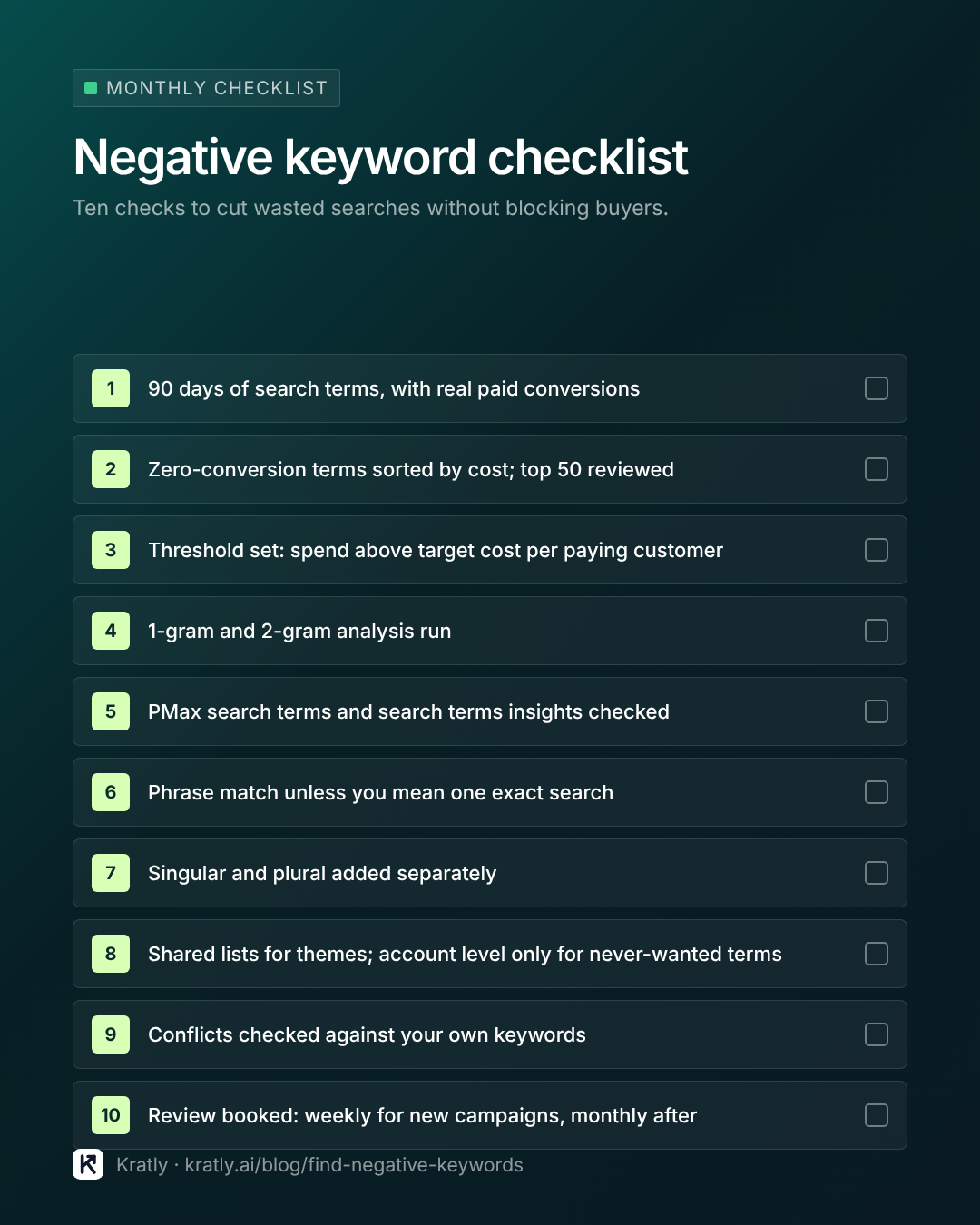
Four rules keep you safe:
- Check conflicts. Before adding a broad or phrase negative, search your keyword list for that word. Google's keyword diagnosis flags "A negative keyword is preventing your ad from showing", but only for exact-match versions (Google Ads Help).
- Start narrow, then widen. Add at campaign level first. Promote to account level once you're sure nothing useful is blocked.
- Don't negate what you sell. If a theme has real buyers but the wrong ad, build an ad group for it instead.
- Watch the share. If you need to add 10% or more of your search terms as negatives, your keywords or match types are too loose (Search Engine Land). Fix targeting, not just negatives.
How often to review: every few days for a new campaign, weekly while you clean up an account, then monthly. Smart Bidding learns from every bad click, so the cost of waiting adds up.
If a campaign is still unprofitable after the negatives are in, look at the campaign itself. Our guide on when to pause a Google Ads campaign gives you a revenue-based rule.
How to do this in Kratly#
- Connect Google Ads and your revenue source. Kratly matches search terms to paying customers, not just conversions.
- See the wasted searches. Kratly ranks search terms and single words by spend with no paying customer.
- Pick the negatives. Select terms and words; Kratly writes them as exact-match
[terms]and phrase-match"words". - Add them and measure. Paste them into Google Ads (or let Kratly add them after your approval once the Google Ads API connection is on), and Kratly measures the savings from the next search-term syncs.
Questions, answered
How do I find negative keywords in Google Ads?
Open the search terms report for the last 90 days, filter to zero conversions and sort by cost. Mark terms with the wrong intent, and terms that spent more than your target cost per customer without a sale. Run an n-gram analysis to spot repeated words, then add them as negatives.
Should negative keywords be phrase or exact match?
Use phrase match for themes, such as "jobs" or "crack", so every search containing the word is blocked. Use exact match only when one specific search is wrong but close variations are fine. Note that the search terms report adds exact match by default.
How many negative keywords is too many?
There's no fixed number. The risk is blocking searches that would have paid. If you're adding 10% or more of your search terms as negatives, your keywords or match types are probably too loose. Check new negatives against your own keywords for conflicts.
Can you add negative keywords to Performance Max?
Yes. Since 2025, Performance Max supports up to 10,000 campaign negatives and shared negative keyword lists. Account-level negatives also apply. They affect Search and Shopping inventory only, not Display or YouTube.
What does "Other search terms" mean in Google Ads?
It groups searches that didn't meet Google's privacy threshold, so they aren't shown one by one. In some accounts it holds most of the spend. Use search terms insights to see the themes inside it, and block whole themes with phrase-match negatives.
Written by
Priyansh Kumar
Priyansh Kumar has spent more than a decade in growth, scaling brands from 1 to 10 and from 10 to 100. He now builds Kratly, an autonomous growth team that ties every campaign, page and email to the revenue it brings.
Sources
- Google Ads Help: Search terms vs keywords · Search terms report · Negative keyword match types · Negative keyword limits · Account-level negatives · PMax search terms · PMax updates 2025 · Search terms privacy threshold · Search terms insights · Negative keyword blocking ads
- Search Engine Land: Search terms report tips · N-gram script
- PPC Land: PMax negative keyword limit raised to 10,000
- PPC.io: B2B SaaS negative keywords · TripleDart: SaaS negative keywords
Was this article useful?