Short answer
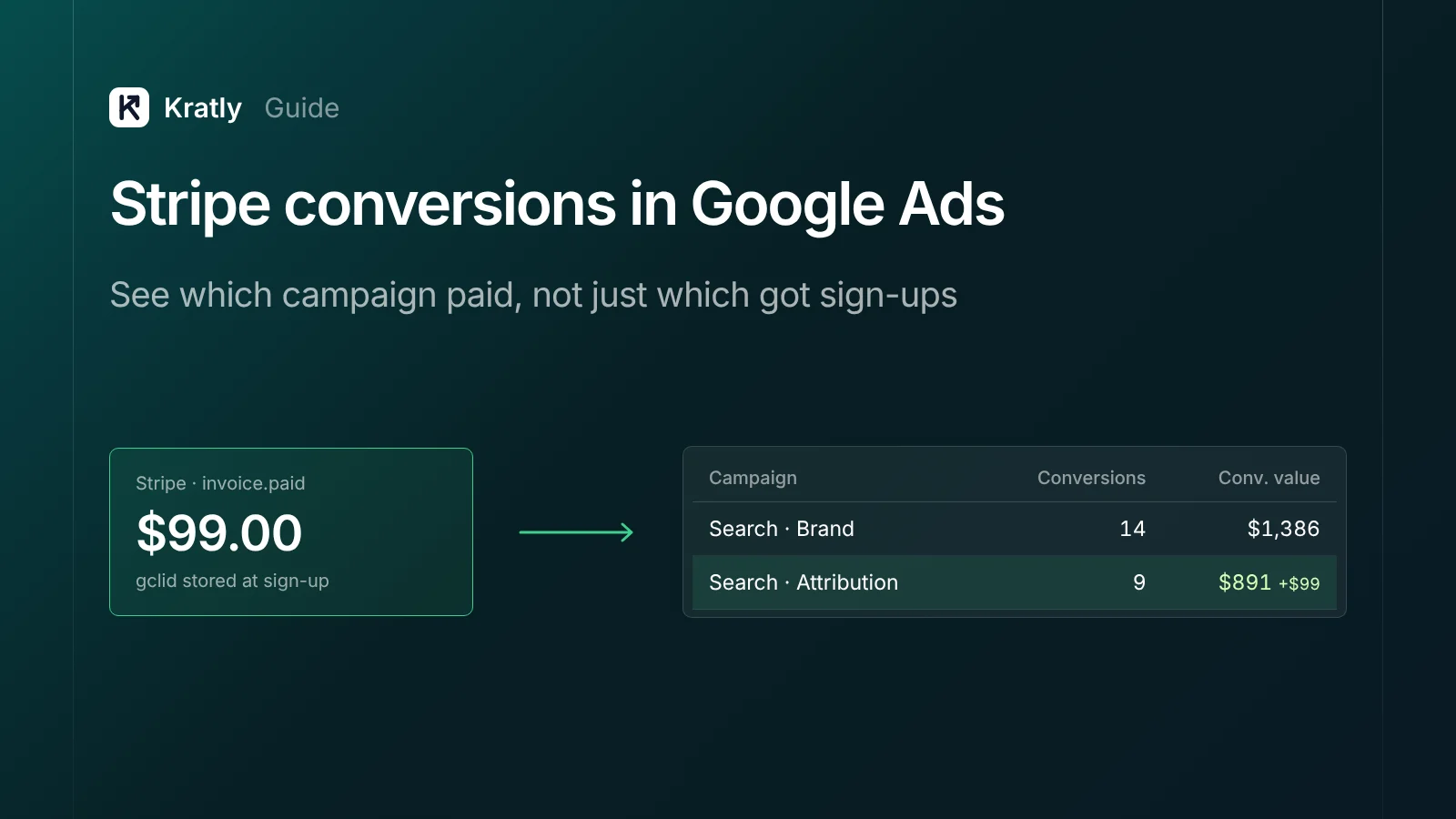
To track Stripe conversions in Google Ads, save the Google click ID (GCLID) when a visitor lands, store it on the user, and pass it into Stripe at checkout. When Stripe confirms payment, upload the click ID, conversion time and value to a Google Ads offline conversion action. Google then credits the revenue to the right campaign.
Google Ads knows who clicked. Stripe knows who paid. Out of the box, neither one knows about the other. One founder asked on the Ghost forum how to track Stripe subscribers in Google Ads, and the only reply was "use Zapier" (Ghost Forum).
This guide shows the full path, including the parts most guides skip.
Why you can't track Stripe conversions in Google Ads by default#
Three things break the link between an ad click and a Stripe payment.
- The payment happens on another domain. Stripe Checkout runs on
checkout.stripe.comunless you set up a custom domain (Stripe Docs). Your Google tag isn't there, and the click ID doesn't follow the visitor. - The payment happens later. Trials mean the first payment can come weeks after the click, often from inside your app.
- Renewals happen with no visit at all.
invoice.paidfires in Stripe every month. No browser, no tag.
A tag on a "thank you" page can't see any of this. You need to send the conversion from your server, using the click ID you saved earlier. Google calls this offline conversion import.
Stripe Google Ads conversion tracking in 9 steps#
Step 1: Turn on auto-tagging#
Auto-tagging adds a gclid to your ad URLs. It's on by default for new accounts. Check it under Admin › Account settings › Auto-tagging (Google Ads Help).
Then click one of your own ads and look at the landing URL. If gclid= is missing, a redirect is stripping it. Fix the redirect so it passes the parameter through.
Step 2: Capture the click ID on the landing page#
Read these from the URL on every landing:
gclid: standard click IDgbraidandwbraid: used for some iOS traffic instead ofgclid
Save them server-side, in a first-party cookie set by your server or in your database against a visitor ID. Store the time of the click too. Google keeps a GCLID for only 90 days (Google Ads Help).
If you use consent mode, check what happens when a visitor declines ad storage. Settings like url_passthrough and ads_data_redaction change whether click IDs survive (Simo Ahava). Follow your legal advice on consent.
Step 3: Copy the click ID onto the user at sign-up#
When the visitor creates an account, write the saved click ID and timestamp onto the user record. This is what lets a payment weeks later find its click.
Step 4: Pass your user ID into Stripe#
When you create a Checkout Session, set client_reference_id to your user ID and add the click ID to metadata:
const session = await stripe.checkout.sessions.create({
  mode: 'subscription',
  client_reference_id: user.id,
  line_items: [{ price: priceId, quantity: 1 }],
  metadata: { gclid: user.gclid ?? '', gbraid: user.gbraid ?? '' },
  subscription_data: { metadata: { user_id: user.id } },
  success_url: 'https://app.example.com/welcome',
});
Using Payment Links? They accept ?client_reference_id= in the URL, with letters, numbers, dashes and underscores only, up to 200 characters. Invalid values are dropped silently (Stripe Docs). Pass your own short user ID there, not the raw GCLID, and look the click ID up on your side.
Step 5: Create an offline conversion action in Google Ads#
- Go to Goals › Conversions › New conversion action › Import.
- Choose to import conversions from clicks (offline, CRM or file).
- Name it clearly, for example Stripe – first payment. You'll need this exact name in uploads.
- Set Value to "Use different values for each conversion" (Google Ads Help).
- Set the click-through window to cover your trial-to-paid time.
- Make it a primary action, so it's used for bidding and appears in the "Conversions" column (Google Ads Help).
Wait 4 to 6 hours after creating the action before your first upload (Google Ads Help).
If you also want renewals in Google Ads, create a second action, Stripe – renewal, and set it as secondary. That keeps bidding focused on new customers while you can still see lifetime revenue by campaign.
Step 6: Listen for Stripe webhooks#
checkout.session.completed→ first paymentinvoice.paid→ renewals and upgrades (Stripe Docs)charge.refunded→ refunds (step 8)
From each event, look up the user by client_reference_id, fetch their stored click ID and build a conversion row.
Convert cents to dollars. Stripe amounts like amount_total are in the smallest currency unit, so 4900 means $49.00. Divide by 100 for USD. Uploading 4900 is a common reason revenue looks 100 times too high.
Step 7: Send the conversion to Google Ads#
Each conversion needs (Google Ads Help):
| Field | Example | Notes |
|---|---|---|
| Google Click ID | Cj0KCQ… | Or GBRAID/WBRAID where that's what you captured |
| Conversion Name | Stripe – first payment | Must match the action name exactly |
| Conversion Time | 2026-10-21 14:32:00 | Format yyyy-MM-dd HH:mm:ss, with a time zone |
| Conversion Value | 49.00 | In dollars, not cents |
| Conversion Currency | USD | ISO code |
| Order ID | cs_live_a1B2… | Optional, but needed for refunds and dedupe |
A file upload looks like this:
Parameters:TimeZone=America/New_York
Google Click ID,Conversion Name,Conversion Time,Conversion Value,Conversion Currency,Order ID
Cj0KCQjw...,Stripe – first payment,2026-10-21 14:32:00,49.00,USD,cs_live_a1B2c3
Upload at least daily. See the three upload options below for how.
Step 8: Add enhanced conversions and handle refunds#
Enhanced conversions for leads match on a hashed email as well as the click ID. That helps when the GCLID was lost. Normalise the email (trim, lowercase), then hash it with SHA-256 (Google Ads API). Include the GCLID whenever you have it.
Refunds go back as adjustments. "Retract" removes a conversion. "Restate" changes its value. Match by Order ID, upload at least 24 hours after the conversion and within 54 days. Adjustments in the first 7 days help bidding most (Google Ads Help).
Step 9: Check the results by campaign#
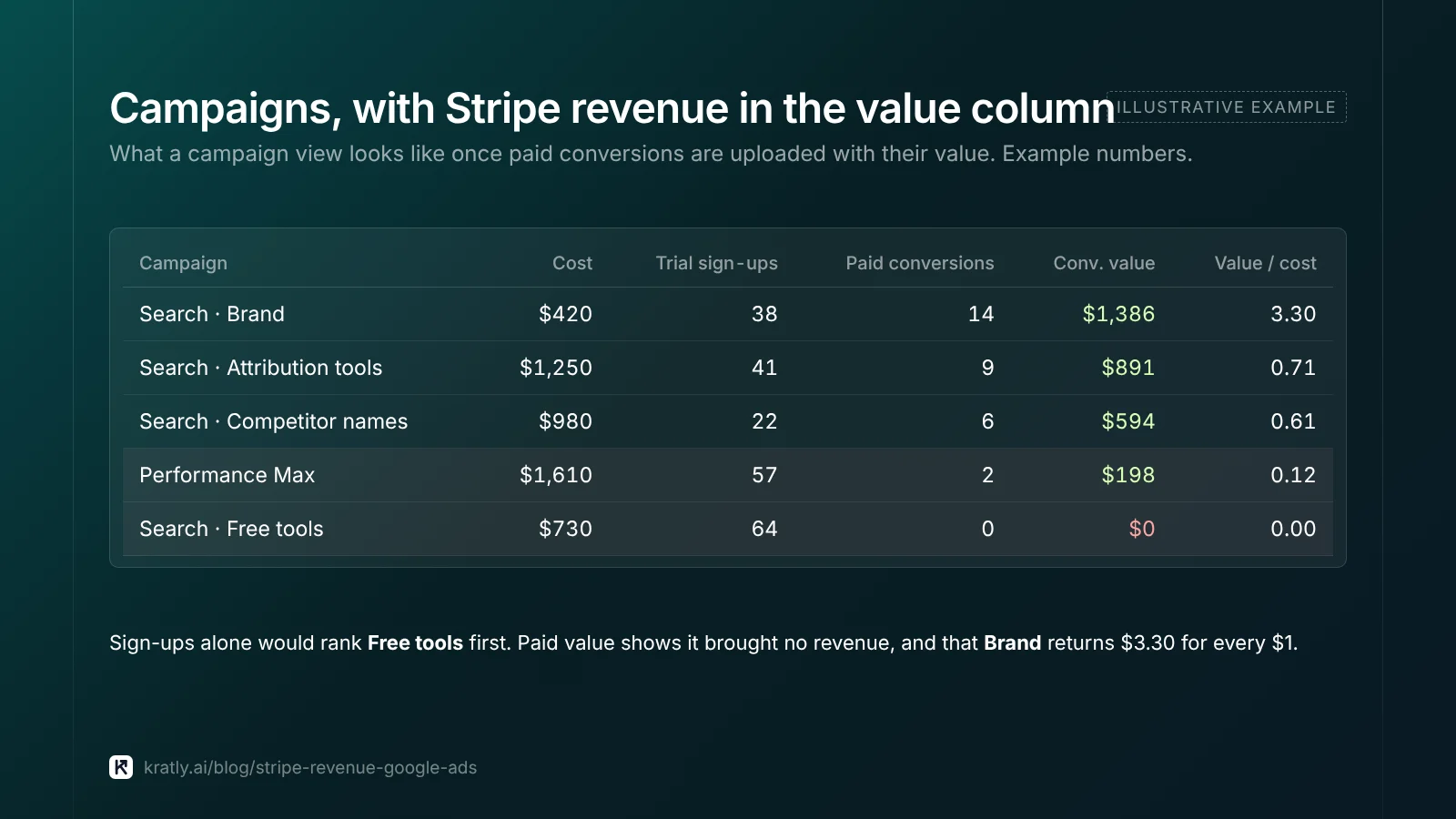
Conversions take 24 to 48 hours to appear (Google Ads Help). Then open Campaigns and add the Conversions and Conv. value columns.
Remember that Google reports conversions on the date of the click, not the payment (Google Ads Help). A payment today can raise last month's numbers. Use the "by conv. time" columns if you want payment dates.
If campaigns still show $0, work through why Google Ads shows $0 revenue per campaign.
Three ways to upload: which one to use#
| Option | Best for | Watch out for |
|---|---|---|
| Scheduled upload from Google Sheets or a file (Goals › Conversions › Uploads) | Low volume; teams without engineers | Google labels file import as legacy and recommends Data Manager (Google Ads Help) |
| Data Manager with a connector such as Zapier | No-code setups | Check the Zap sends the click ID and a value in dollars, not just the payment (Zapier) |
| Data Manager API | Engineering teams; daily automated sends | Required for new API builds since June 15, 2026 |
That last point matters if you're building now. From June 15, 2026, offline conversion and enhanced-conversions-for-leads uploads moved to the Data Manager API and are blocked in the Google Ads API for accounts not already using it (Google Ads Help). Its events:ingest method takes the click IDs, timestamp, value, currency and a transactionId for dedupe (Google Developers). Use validateOnly to test first.
What about the GA4 route?#
You can send Stripe purchases into GA4 with the Measurement Protocol, then import them into Google Ads. It works, but it's weaker for this job.
- The Measurement Protocol joins events on GA4's
client_id, not the GCLID. You'd need to store the GA4 client ID as well (Google Developers). - Google says it's "intended to supplement, not replace" tagging.
- Imported GA4 key events arrive in Google Ads as secondary actions by default (Google Analytics Help), so they won't drive bidding until you change that.
For SaaS revenue, the direct offline import is the cleaner path. Use GA4 for reporting alongside it.
How to do this in Kratly#
Kratly does steps 2 to 9 for you.
- Connect Google Ads and Stripe. Kratly captures click IDs on your site and links them to Stripe customers.
- Pick the conversion action. Create an offline action in Google Ads (Import › Manual import from clicks) and give Kratly its ID.
- Kratly uploads the payments. Paid conversions go to Google Ads with their Stripe value through the Google Ads API connection.
- See revenue by campaign. Kratly shows paying customers and verified Stripe revenue per campaign in its own reports.
For the full picture beyond Google Ads, including Meta and first-touch reporting, read our SaaS marketing attribution guide.
Go deeper: Stripe UTM tracking: see which campaign every payment came from · Offline conversion import in Google Ads with real Stripe revenue
Questions, answered
Can Stripe send conversions to Google Ads directly?
Not natively, as far as we know. You need a step in between: your own server code, a connector such as Zapier through Google's Data Manager, or a tool that handles the upload. Each one reads Stripe payment events and sends them to a Google Ads offline conversion action with the stored click ID.
Do I need to store the GCLID?
Yes. Google needs the click ID, or a hashed email for enhanced conversions, to link a payment to a click. Save it when the visitor lands, copy it onto the user at sign-up and keep it for at least 90 days. Google keeps GCLIDs for 90 days.
How long do offline conversions take to show in Google Ads?
Usually 24 to 48 hours after upload. Wait 4 to 6 hours after creating a new conversion action before the first upload. Google also credits conversions to the click date, so new uploads can change earlier days' numbers.
Should renewals count as conversions in Google Ads?
Count the first payment as your primary conversion, so bidding chases new customers. Track renewals as a separate, secondary action if you want to see lifetime revenue by campaign without confusing the bidding.
How do I handle Stripe refunds in Google Ads?
Upload a conversion adjustment. Retract the conversion to remove it, or restate it with the new value. Match by Order ID, upload at least 24 hours after the original conversion, and do it within 54 days. Adjustments in the first seven days help bidding most.
Written by
Priyansh Kumar
Priyansh Kumar has spent more than a decade in growth, scaling brands from 1 to 10 and from 10 to 100. He now builds Kratly, an autonomous growth team that ties every campaign, page and email to the revenue it brings.
Sources
- Google Ads Help: Auto-tagging · Upload windows · Value settings · Primary and secondary actions · Import from files · Conversion adjustments · Conversions by click date · June 2026 Data Manager change
- Google Developers: Data Manager API: send events · Enhanced conversions for leads troubleshooting · GA4 Measurement Protocol
- Stripe: Checkout Session object · Payment Link URL parameters · Subscription webhooks
Was this article useful?