Short answer
Google Ads shows a conversion value of 0 when the value never reaches it, or is counted somewhere you aren't looking. Check eight causes in order: the wrong column or a secondary action, the value setting, the tag not sending a value, currency, click-date reporting, test orders, a lost GCLID, and failed offline uploads.
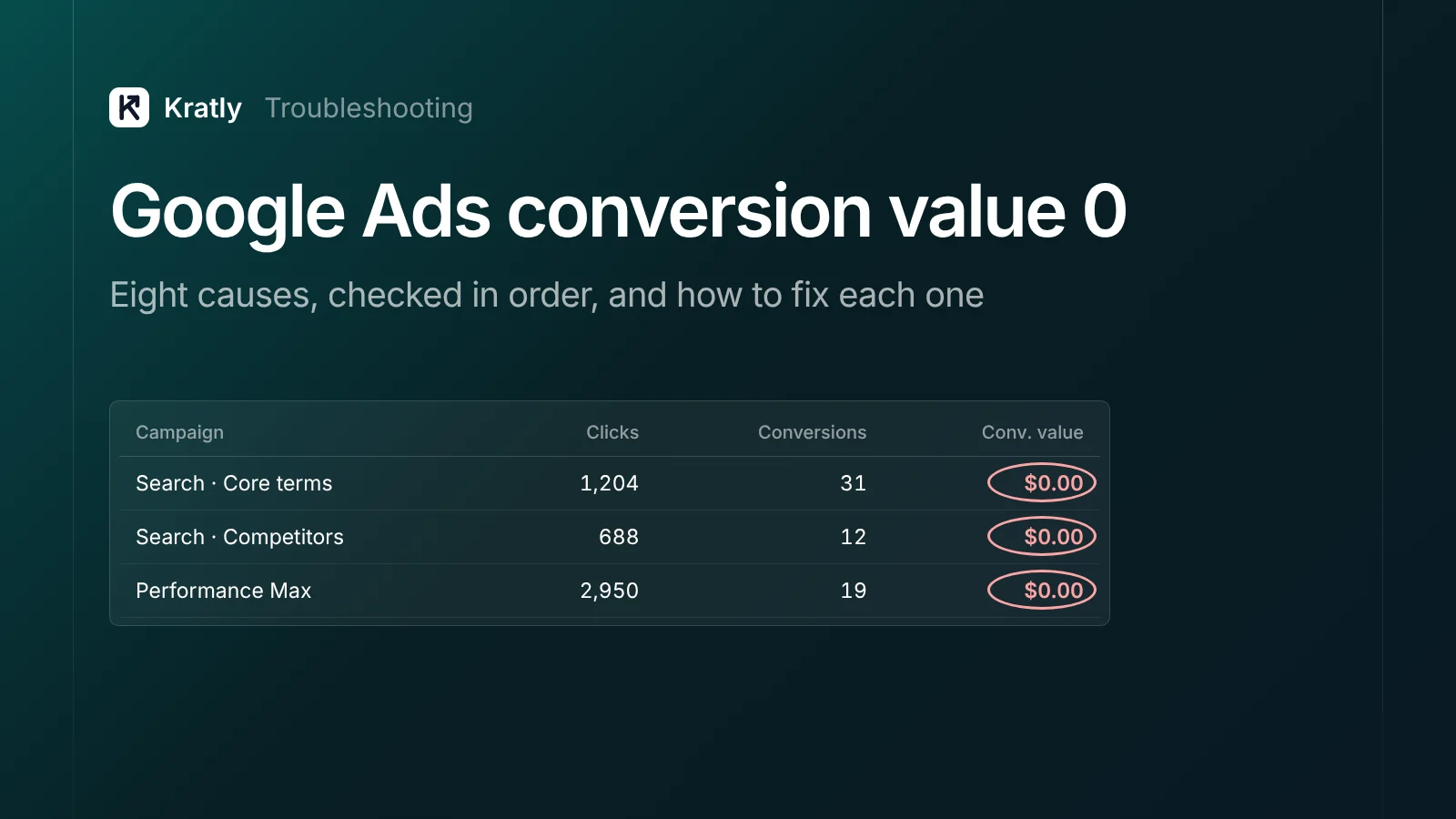
You can see sales in Stripe or Shopify. Google Ads shows conversions, or none at all, and a value of $0.00. So Smart Bidding can't tell a $500 customer from a $0 sign-up.
One store owner described exactly this: "the GADS Purchase event doesn't measure the VALUE, which shows always as $0" (Shopify Community). Another found Google Ads "only been picking up about 10% of my sales" (Shopify Community).
Work through the causes below in order. The first ones take a minute to check.
Quick diagnosis: which cause is yours?#
| What you see | Most likely cause | Go to |
|---|---|---|
| Value shows in "All conv. value" but not "Conv. value" | Action is secondary | Cause 1 |
| Every conversion has the same value, or 0 | Value setting | Cause 2 |
| Conversions counted, value always $0 | Tag doesn't send a value | Cause 3 |
| Values look wrong by a fixed factor | Currency or cents | Cause 3, Cause 4 |
| Yesterday's sales missing, older days change | Click-date reporting and lag | Cause 5 |
| Test purchase didn't appear | No ad click behind it | Cause 6 |
| Far fewer conversions than sales | GCLID lost | Cause 7 |
| Uploaded conversions don't appear by campaign | Offline upload problem | Cause 8 |
The 8 causes of $0 conversion value, and their fixes#
Cause 1: You're looking at the wrong column, or the action is secondary#
The Conversions and Conv. value columns include primary actions only. Secondary actions only appear in All conv. and All conv. value (Google Ads Help).
This catches many teams that import purchases from GA4. GA4 key events arrive in Google Ads as secondary by default (Google Analytics Help).
Fix:
- Add All conv. value to your campaigns table. If the value shows there, the data is arriving.
- Go to Goals › Conversions › Summary and open the purchase action.
- Change it to Primary. Make sure no duplicate purchase action is also primary.
Cause 2: The value setting is wrong#
Each conversion action has a value setting (Google Ads Help):
- Use the same value for each conversion: every sale gets one fixed number. If that number is 0, every sale is $0.
- Use different values for each conversion: the tag or upload sends the real amount.
- Don't use a value: no revenue at all.
Fix: set purchases to Use different values, and set a sensible default value for when none is sent. For SaaS, use your average first payment, not 0.
Cause 3: The tag doesn't send a value, or sends it in the wrong format#
With "different values", the tag must send value and currency:
gtag('event', 'conversion', {
  send_to: 'AW-XXXXXXXXX/XXXXXXXXXXXX',
  value: 49.00,
  currency: 'USD',
  transaction_id: 'order_12345'
});
The value must be a number with a period as the decimal point (Google Ads Help). Common mistakes:
- The data layer push is missing the
valueline. That was the cause in the Shopify thread above. - The value is a string with a symbol:
"$49"or"49,00". - The variable in Google Tag Manager points to the wrong data layer key, so it's empty.
- Stripe amounts are in cents.
amount_total: 4900is $49.00. Send 49.00, not 4900.
Fix: open Tag Assistant, make a test purchase and read the value the tag actually sends. Then fix the data layer or GTM variable.
Cause 4: Currency is missing or wrong#
Google reports values in your account's billing currency. A missing or invalid currency code on the tag is ignored, and Google falls back to the currency of the action's default value. Other currencies are converted at the average daily rate (Google Ads Help).
Fix: send an ISO currency code (USD) on every conversion, and set the same currency on the action's default value.
Cause 5: Click-date reporting and conversion lag#
Google Ads credits a conversion to the day of the ad click, not the day of the sale (Google Ads Help). A customer who clicked on the 1st and paid on the 20th raises the 1st.
Conversions can be reported up to 90 days after the click (Google Ads Help), and data takes 24 to 48 hours to process. So recent days look empty and older days keep changing.
With data-driven attribution, a conversion can be split across campaigns, so you may see values like 0.33 conversions. That's credit sharing, not an error.
Fix: add the Conv. value (by conv. time) column to see sales by the day they happened. Don't judge the last two or three days.
Cause 6: Your test order had no ad click#
A purchase only counts in Google Ads if it follows an ad click. If you type your own URL and buy, Google has nothing to credit. That's often why an action sits at "Awaiting conversion" or a test shows 0 (Shopify Community).
Fix: use Tag Assistant to confirm the tag fires with a value. Don't rely on a self-made test purchase to show up in reports.
Cause 7: The GCLID gets lost#
If the click ID disappears, Google can't link the sale to a click. Conversions vanish, and value goes with them.
Where the GCLID gets lost:
- Auto-tagging is off. Check Admin › Account settings (Google Ads Help).
- A redirect strips it. HTTP to HTTPS, www to non-www, or a link shortener drops
?gclid=. Google flags this as "Website redirects are losing click data" (Google Tag Manager Help). - Consent settings. When ad storage is denied, the click cookie isn't written (Simo Ahava).
- iOS traffic arrives with
gbraidorwbraidinstead ofgclid. If your code only looks forgclid, it misses them. - Checkout on another domain. Stripe Checkout runs on
checkout.stripe.comunless you use a custom domain (Stripe Docs). Your tag and cookie don't follow.
Fix: click your own ad and follow the URL to checkout, checking for gclid at each step. Capture gclid, gbraid and wbraid on landing and store them server-side. For Stripe, pass your user ID into checkout and send the conversion from your server. Our guide to sending Stripe revenue to Google Ads covers each step.
Cause 8: Offline uploads fail or don't match#
If you upload conversions, they can arrive in the account but not in campaign rows. One developer wrote that API uploads "ARE NOT showing up for the individual campaigns" (Google Ads API forum). Another said uploaded conversions "still show 0" (Google Ads API forum).
Check these:
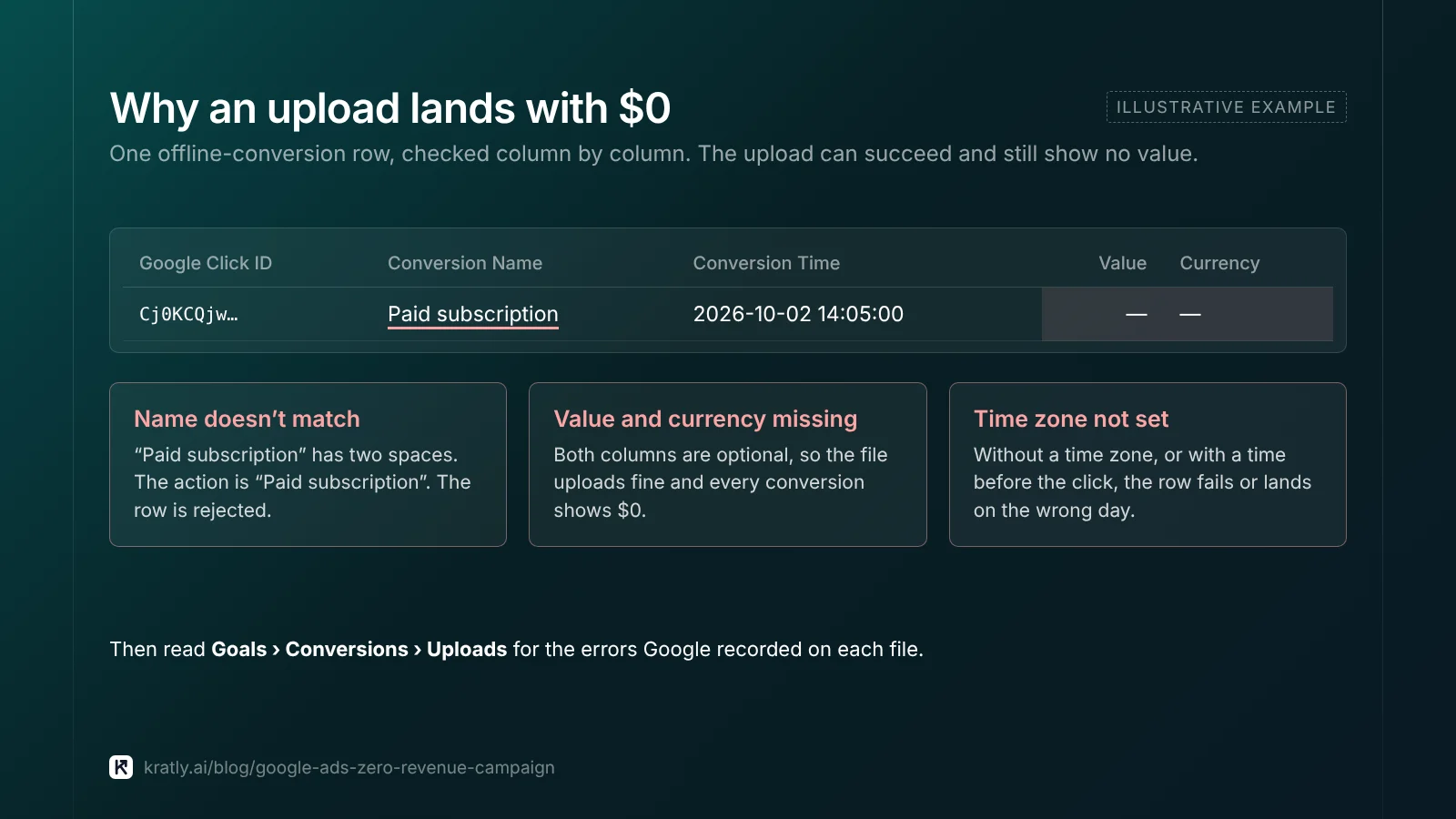
- Upload diagnostics. Open Goals › Conversions › Uploads and read the errors.
- Conversion Name matches the action name exactly, including spaces and dashes.
- Conversion Value and Currency columns are present and filled. They're optional, so a file without them uploads fine and shows $0 (Google Ads Help).
- Time zone is set, and the conversion time is after the click time.
- The click is under 90 days old.
- You waited 4 to 6 hours after creating the action before the first upload.
- API access. Since June 15, 2026, new offline-import integrations must use the Data Manager API. Calls through the Google Ads API can fail for accounts not already using it (Google Ads Help).
How to stop it happening again#
That last check matters most. Google Ads will rarely match your billing system exactly, because of attribution windows and click-date reporting. But a gap that suddenly grows is a tracking problem. Our SaaS marketing attribution guide explains which gaps are normal.
Once values are flowing, use them. Pause or reduce campaigns that spend without revenue: see Google Ads wasted spend: the 9 places your budget leaks.
How to do this in Kratly#
- Connect Google Ads and Stripe. Kratly compares Google's conversion value with real Stripe revenue, by campaign.
- See the gap. Kratly flags campaigns where Stripe shows revenue and Google Ads shows $0.
- Fix the source. Kratly captures click IDs, including
gbraidandwbraid, and uploads paid conversions with value from the server. - Watch the gap close. Re-check the comparison after each fix, so bidding learns from real revenue, not $0.
Go deeper: Google Ads conversion tracking: when sign-ups count as sales
Questions, answered
Why is my Google Ads conversion value 0?
Most often, the purchase action is secondary, the value setting is "same value" with 0 or "don't use a value", or the tag fires without a value. Check those three first. If conversions are also missing, the GCLID is probably being lost or offline uploads are failing.
Why does Google Ads show conversions but no revenue?
The conversion is being counted but no value is attached. Check that the action uses different values per conversion, that the tag or upload sends a numeric value and currency, and that the default value isn't 0. Then confirm in Tag Assistant with a test purchase.
Why is the GCLID missing from my URLs?
Auto-tagging may be off, or a redirect may be stripping URL parameters. Click your own ad and watch the URL. Also check consent settings and iOS traffic, which can arrive with gbraid or wbraid instead of gclid.
How long does conversion value take to show in Google Ads?
Usually 24 to 48 hours. Conversions are credited to the click date and can arrive up to 90 days after the click, so recent days look low and older days change. Use the "by conv. time" columns to see sales by the day they happened.
Why doesn't Google Ads revenue match Stripe?
They count differently. Google credits the click date, uses attribution windows and data-driven credit, and only sees sales it can link to a click. Stripe records every payment. Expect a gap. A sudden change in the gap usually means tracking broke.
Written by
Priyansh Kumar
Priyansh Kumar has spent more than a decade in growth, scaling brands from 1 to 10 and from 10 to 100. He now builds Kratly, an autonomous growth team that ties every campaign, page and email to the revenue it brings.
Sources
- Google Ads Help: Primary and secondary actions · Value settings · Tracking transaction-specific values · Currency · Conversions by click date · Conversion delay · Auto-tagging · Import from files · June 2026 Data Manager change
- Google Analytics Help: Import GA4 key events into Google Ads
- Google Tag Manager Help: Redirects losing click data
- Stripe: Checkout Session object
Was this article useful?