Short answer
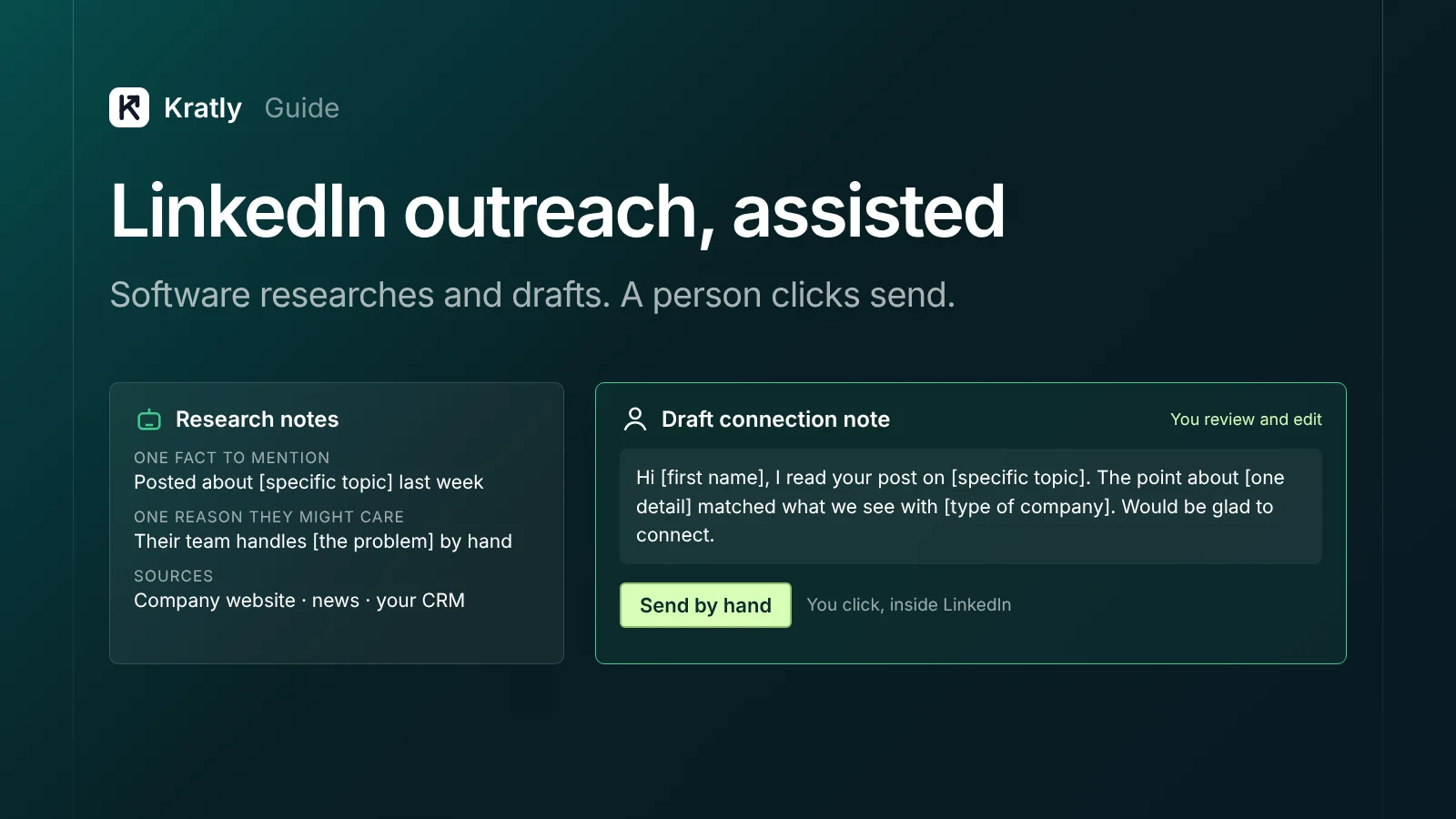
LinkedIn outreach without automation means a person sends every invitation and message by hand. Software can still research prospects and draft notes outside LinkedIn. LinkedIn's User Agreement bans bots that add contacts or send messages, so keep the clicking human. Budget about an hour a day and judge it on revenue, not replies.
LinkedIn's rules leave little room for doubt. Its User Agreement lists things members agree not to do. One of them is to "Use bots or other unauthorized automated methods to access the Services, add or download contacts, send or redirect messages, create, comment on, like, share, or re-share posts, or otherwise drive inauthentic engagement." That wording is from the November 3, 2025 version of the User Agreement, as archived by ConductAtlas on April 19, 2026. LinkedIn blocks our research tools, so read the live User Agreement for the current text.
That sentence covers most of what "LinkedIn automation" tools sell. So this guide covers LinkedIn outreach without automation. You keep the speed of software for research and drafts. A person keeps the clicks.
What do LinkedIn's rules say about automation?#
Three official pages matter here. I couldn't load them through our research tools this month, so read each one yourself before you install anything.
- The User Agreement. The clause quoted above (from the archived copy) bans bots that add contacts, send messages or post. It sits in the list of things members agree not to do (LinkedIn User Agreement).
- "Prohibited software and extensions." This LinkedIn Help page covers third-party tools and browser extensions (LinkedIn Help).
- "Automated activity on LinkedIn." This Help page explains what LinkedIn counts as automated activity (LinkedIn Help).
The key words are "bots or other unauthorized automated methods." The rule isn't about software in general. It's about software acting on LinkedIn in your place.
The risk is your account. A restricted founder profile loses its network and inbox at once. That's worth more than any week of extra invitations.
Where is the line between assisted and automated?#
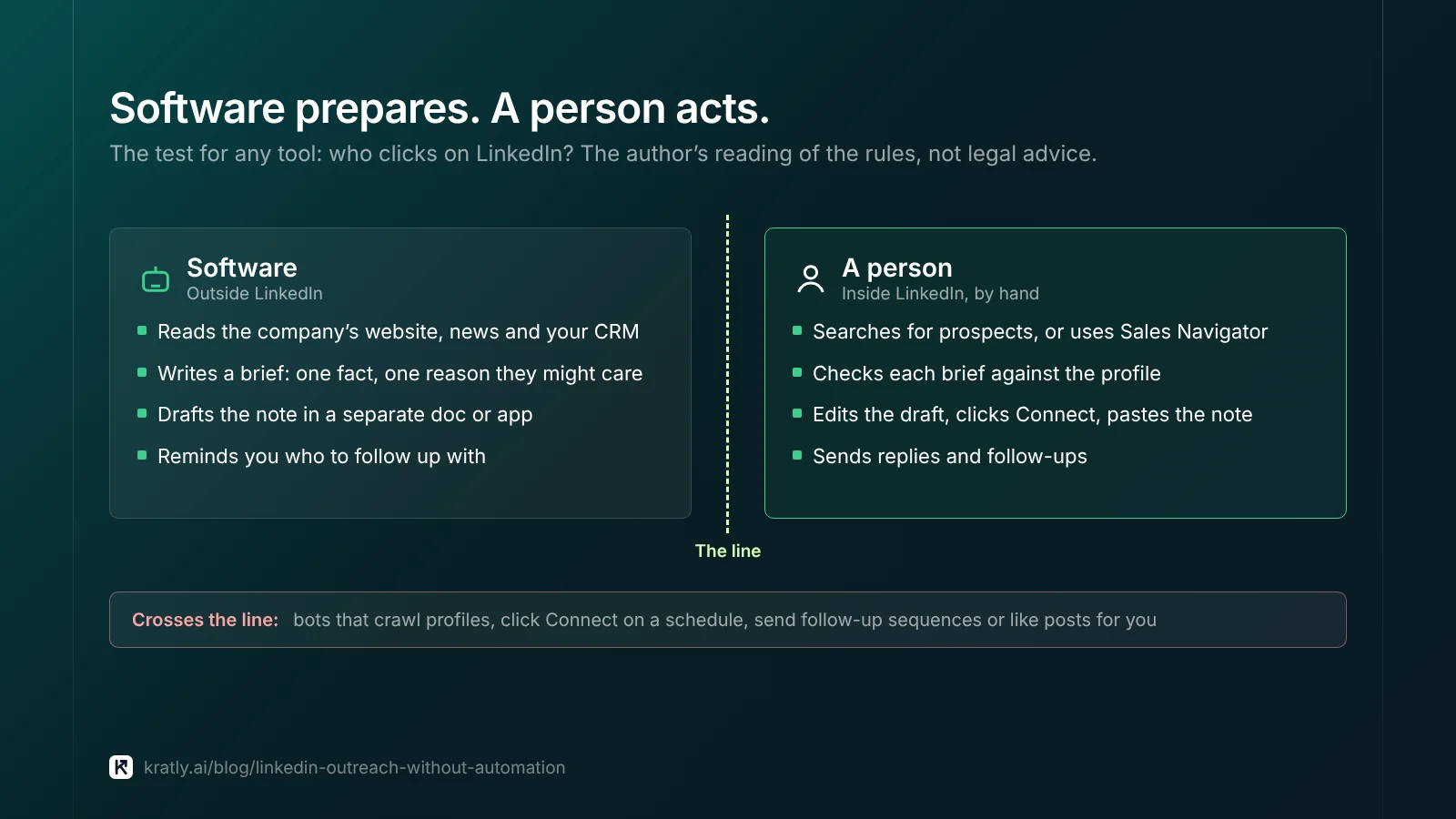
Assisted outreach is a workflow where software researches prospects and drafts messages, but a person reviews each one and sends it inside LinkedIn by hand.
Here's how I read the line. This is my opinion, not legal advice. LinkedIn's own pages decide.
| Task | Assisted (a person acts) | Automated (crosses the line, in my reading) |
|---|---|---|
| Finding prospects | You search LinkedIn or Sales Navigator yourself | A bot crawls profiles and copies them out |
| Research | Software reads the company's website, news and your CRM | A tool visits LinkedIn profiles for you |
| Writing the note | Software drafts it in a separate doc or app | A tool writes and sends with no review |
| Sending invitations | You click Connect and paste the note | A tool clicks Connect on a schedule |
| Follow-ups | A reminder tells you who to follow up with | A sequence sends follow-ups on its own |
| Likes and comments | You engage with posts you read | A tool likes or comments to look active |
Two tests help when a tool is unclear.
- Who clicks? If software clicks a button on LinkedIn for you, treat it as automated.
- Where does it run? A tool that runs inside LinkedIn's pages, as an extension, needs a careful read of the "Prohibited software and extensions" page first.
What is the LinkedIn connection request limit?#
LinkedIn does cap invitations. Its Help Center has pages titled "Invitation limit reached" (LinkedIn Help) and "Types of restrictions for sending invitations" (LinkedIn Help).
I'm not giving you a number. Third-party blogs quote different weekly figures, and I couldn't confirm LinkedIn's own wording this month. Check those two pages on the day you plan your week.
What matters more than the cap:
- Unanswered invitations pile up. I'd withdraw old pending invitations every couple of weeks.
- Fewer, better invitations win. If you hit the cap, your list is too wide. Narrow it before you send more.
- Don't route around it. Tools that promise to "bypass" the limit are the automation the rules ban.
LinkedIn also has a Help page on how to personalize invitations to connect. A short, specific note is the habit to build.
How to run LinkedIn outreach without automation each day#
This routine is how I'd run LinkedIn prospecting manually. The time budget is my opinion, not a benchmark. Adjust it once you have a few weeks of your own data.
| Block | Minutes (my estimate) | What you do |
|---|---|---|
| Build the list | 10 | Pick 10 to 15 people from one saved search or account list |
| Research | 15 | Read software-made briefs; check each one against the profile |
| Review drafts | 15 | Edit each AI draft until it sounds like you; cut anything generic |
| Send | 10 | Send invitations and replies by hand inside LinkedIn |
| Follow up and log | 10 | Answer replies, note outcomes in your CRM or sheet |
That's about an hour. Work one segment with one message for a week, then change one thing. Account-based marketing for small teams shows how to pick that list.
Use Sales Navigator for the list, not a scraper#
If you pay for LinkedIn's sales tool, use its own features. As of November 2026, LinkedIn's compare-plans page lists features such as "Advanced Search Filters", "Account IQ & Lead IQ" and "Buyer Intent" (LinkedIn Sales Solutions). Plans and prices change, so check that page before you buy.
Let software do the research outside LinkedIn#
Point your AI tool at the company's website, recent press and your CRM notes. Ask for one fact to mention and one reason the person might care.
Message templates that don't read like spam#
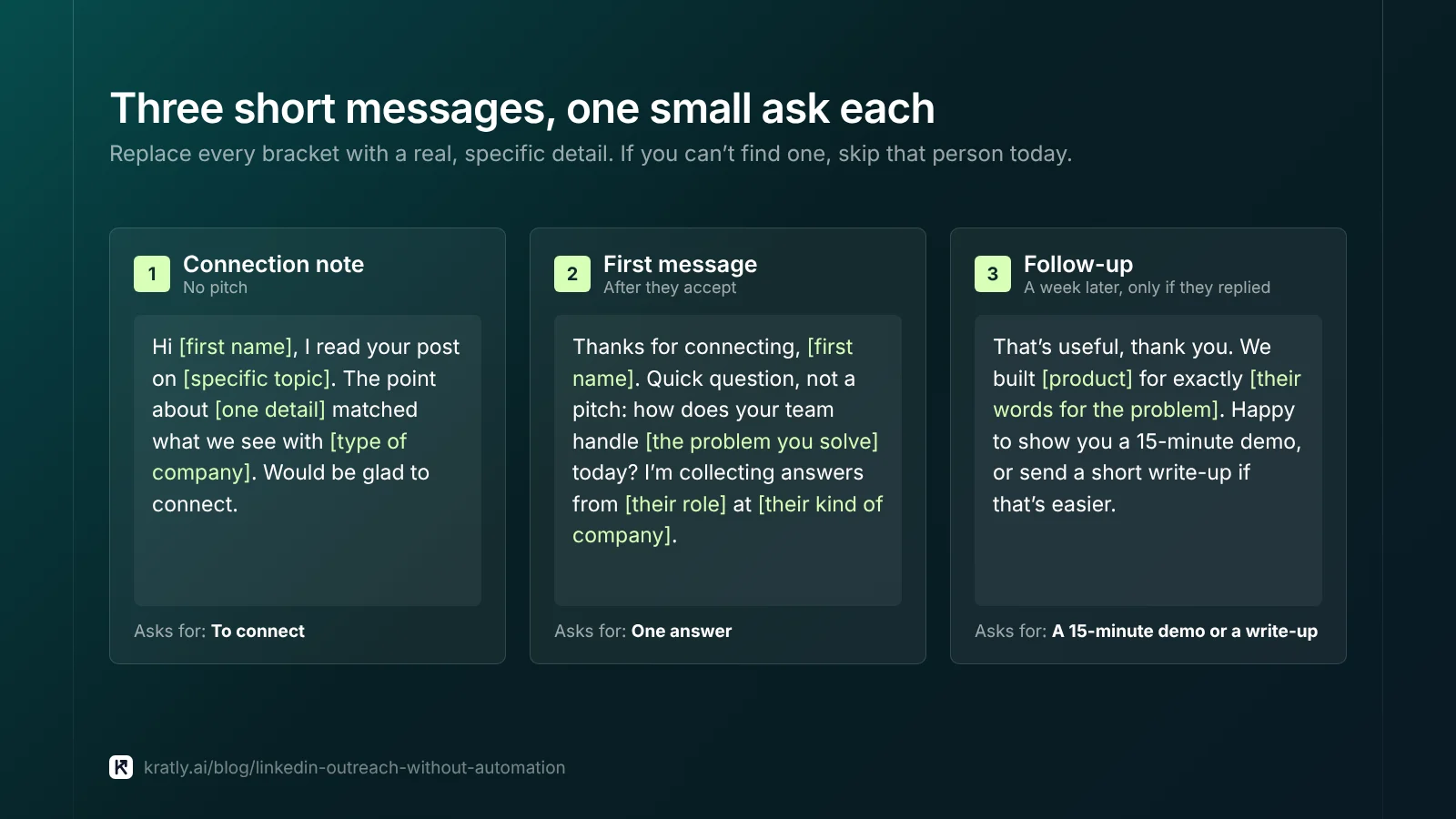
Each template is short on purpose. Replace every bracket with a real, specific detail. If you can't find one, skip that person today.
Connection note (no pitch):
First message after they accept:
Follow-up, a week later, only if they replied:
What these avoid:
- A pitch in the invitation. People accept people, not offers.
- Fake familiarity. Never say "we met" or "loved your talk" unless it's true.
- Long chains. No reply to the first message? Stop.
Paul Graham wrote that founders have to "recruit users manually" at the start (Paul Graham). Our B2B SaaS growth strategy guide shows where that fits in the first 100 customers.
How do you measure LinkedIn outreach in revenue?#
Replies feel like progress. Revenue is the score.
- Tag every link you share. Add UTM tags to any link you paste into a message, for example
utm_source=linkedin&utm_medium=outreach. Our Stripe UTM tracking guide shows how to carry those tags to the payment. - Log the source in your CRM. Mark each contact "LinkedIn outreach" when the conversation starts, not when they buy.
- Ask how they heard about you. Many buyers will come in through a search or a direct visit. A self-reported attribution field catches those.
- Count meetings, deals and paid revenue, not accepted invitations.
| Stage | What to count | Where it comes from |
|---|---|---|
| Sent | Invitations sent this week | Your sheet or CRM |
| Accepted | New connections from that batch | LinkedIn, logged by hand |
| Conversation | Replies with a real answer | Your CRM notes |
| Meeting | Demos booked | Calendar or CRM |
| Revenue | First payment from those accounts | Stripe or your billing tool |
Work out your own rates from your last 100 sent invitations. Until you have them, plan with a stated assumption. Assumption: one meeting per 10 accepted connections, to be replaced with your real rate after four weeks. Our guide on how many cold emails it takes to book 20 meetings a month uses the same back-from-the-target method.
Then judge LinkedIn like any lead source. B2B lead generation strategy: measure pipeline, not form fills explains the stages that matter. If you also run paid campaigns, LinkedIn ads for SaaS: measure paying customers, not leads shows how to tie those clicks to payments too.
Where Kratly fits#
Kratly never clicks on LinkedIn for you. Its LinkedIn-assisted outreach drafts connection notes and follow-ups, queues them with daily limits, and a person sends each one by hand inside LinkedIn, then marks the reply in Kratly. That feature is built and being tested on our own outbound first. Live today: a UTM-tagged link you share in a LinkedIn message shows up in Kratly's revenue by campaign, page and email.
Questions, answered
Is LinkedIn automation against the rules?
Yes, for tools that act for you. LinkedIn's User Agreement, in the archived copy we quote, bans using "bots or other unauthorized automated methods" to add contacts, send messages, or like, comment on and share posts. Tools that click Connect or send messages on a schedule fall into that. Software that researches and drafts outside LinkedIn, with a person sending by hand, doesn't act on LinkedIn at all.
Can I use AI to write LinkedIn messages?
Yes, if a person reviews and sends each one. Use AI to research the company and draft a note in a separate document. Then edit it until it sounds like you and paste it into LinkedIn yourself. What LinkedIn's rules target is automated sending and engagement. You're still responsible for every word that goes out under your name.
What is the weekly LinkedIn connection request limit?
LinkedIn caps invitations, and its Help Center explains it on pages titled "Invitation limit reached" and "Types of restrictions for sending invitations". Third-party blogs quote different numbers, so check LinkedIn's own pages for the current wording. If you keep hitting the cap, your list is too broad. Send fewer, better-targeted invitations with a short, specific note.
How much time does manual LinkedIn prospecting take?
In my estimate, about an hour a day for 10 to 15 people. That covers building the list, reading research, editing drafts, sending by hand and logging results. It isn't a benchmark. Track your own minutes for two weeks, then compare them with the meetings and revenue that came from those conversations.
Is Sales Navigator automation?
No. Sales Navigator is LinkedIn's own paid sales tool. LinkedIn's compare-plans page lists features such as advanced search filters, Account IQ and Lead IQ, and buyer intent. Using it to find and research prospects is assisted work. The automation rules apply to third-party bots and extensions that act on LinkedIn for you.
Written by
Priyansh Kumar
Priyansh Kumar has spent more than a decade in growth, scaling brands from 1 to 10 and from 10 to 100. He now builds Kratly, an autonomous growth team that ties every campaign, page and email to the revenue it brings.
Sources
- LinkedIn: User Agreement
- LinkedIn Help: Prohibited software and extensions · Automated activity on LinkedIn · Invitation limit reached · Types of restrictions for sending invitations · Personalize invitations to connect
- LinkedIn Sales Solutions: Compare Sales Navigator plans
- ConductAtlas: LinkedIn User Agreement provision on bots and inauthentic engagement
- Paul Graham: Do Things That Don't Scale
Was this article useful?