Short answer
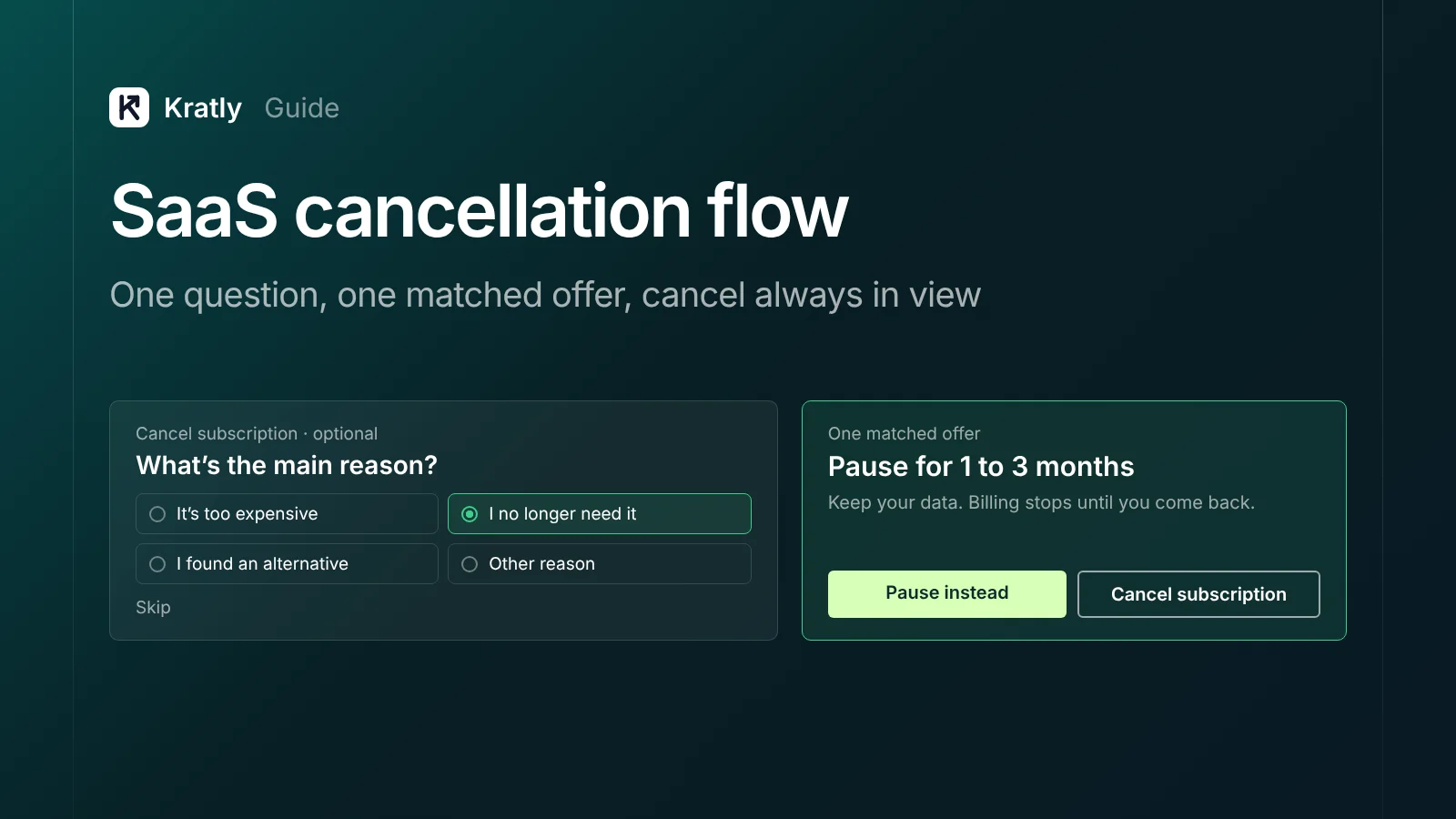
A good SaaS cancellation flow lets anyone cancel in one clear step. It asks one optional question about why. Then it shows one matching offer: pause, downgrade or a discount. Keep the cancel button visible next to every offer. Then send a short win-back sequence and judge it on revenue kept 90 days later.
Most SaaS cancellation flows are built once and never touched. One founder described theirs on Indie Hackers: "Our old, hand-made cancel flow was just a static page + generic discount" (Indie Hackers, Feb 2026). They rebuilt it to offer pauses, downgrades or support based on the answer. What they found: "Onboarding friction we didn't know existed."
That's the real value of the flow. It saves some revenue, and it tells you why people leave. Start with the legal rules.
The rules in 2026: what your cancel flow must allow#
This is not legal advice. Here is where things stand as of October 2026.
The federal "click-to-cancel" rule is not in force. The FTC finalized changes to its Negative Option Rule in October 2024. On July 8, 2025, the Eighth Circuit vacated the whole rule on procedural grounds, days before it took effect (Fenwick). On March 11, 2026, the FTC started over with an advance notice of proposed rulemaking. It proposes no specific rules yet, and a final rule "is likely years away" (Kirkland & Ellis).
Federal enforcement still applies. The vacatur "did not affect the FTC's pre-existing authority under ROSCA, the TSR or Section 5" (same source). So a cancel flow that traps people can still draw an FTC case.
California sets the strictest bar most US SaaS companies face. Its updated automatic renewal law (AB 2863) covers contracts made or renewed from July 1, 2025 (Kilpatrick Townsend). Key points:
- Customers must be able to cancel "as easily as they signed up" (Davis Wright Tremaine). If they signed up online, they cancel online.
- You may show a save offer during online cancellation. But a "click to cancel" link or button must be shown at the same time, "prominently located and continuously and proximately displayed."
- Send an annual reminder with the product, the charge and how to cancel.
- Give 7 to 30 days' notice before a price change.
- Keep consent records for three years, or one year after the contract ends, whichever is longer.
Massachusetts added its own rule from September 2, 2025 (Fenwick). What I'd do: build to the California standard for every US customer. Running two flows costs more engineering hours than it saves.
A compliant SaaS cancellation flow in five steps#
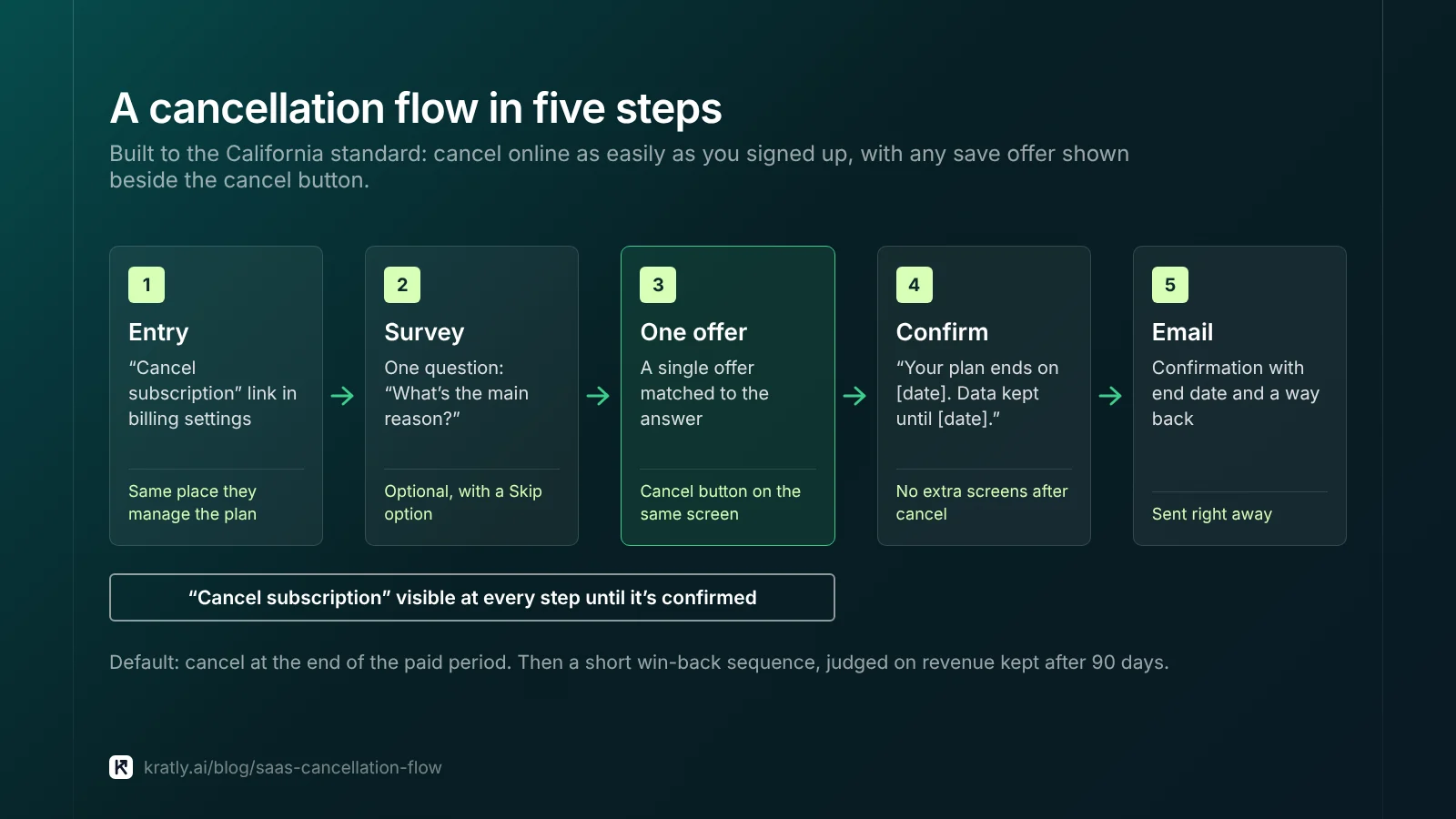
Here is the flow I'd build. It meets the California rules and still gives you a fair chance to keep the customer.
| Step | What the customer sees | Rule to follow |
|---|---|---|
| 1. Entry | A "Cancel subscription" link in account or billing settings | Same place they manage the plan. No hidden menus. |
| 2. Survey | One question: "What's the main reason?" | Optional. A "Skip" option on the screen. |
| 3. One offer | A single offer matched to the answer | "Click to cancel" button visible on the same screen |
| 4. Confirm | "Your plan ends on [date]. Your data is kept until [date]." | No extra screens after they click cancel |
| 5. Email | Confirmation email with end date and a way to come back | Send right away |
Cancel at the end of the paid period by default. Stripe's customer portal supports canceling "immediately or at the end of the current billing period" (Stripe Docs). End-of-period cancellation feels fair, and some customers come back before the date.
If you use Stripe, the customer portal cancellation page already covers steps 1 to 3. It collects a reason after the customer cancels, and it can show one retention coupon. Its cancellation docs don't mention a pause step, so plan custom work for that.
Cancellation survey: which reasons to ask about#
Ask one question with fixed choices. Free text alone is hard to count. Stripe's portal offers eight reasons (Stripe Docs):
| Reason (Stripe's wording) | Offer I'd show | What to fix if it keeps coming up |
|---|---|---|
| It's too expensive | Cheaper plan, or annual billing | Pricing and packaging |
| I need more features | Short call, or what's on the roadmap | Product gaps |
| I found an alternative | None. Ask which one. | Positioning and comparison pages |
| I no longer need it | Pause for 1 to 3 months | Seasonal use, or weak habit |
| Customer service was less than expected | Direct line to a senior person | Support process |
| Ease of use was less than expected | Free setup session | Onboarding |
| Quality was less than expected | None. Ask what broke. | Bugs and reliability |
| Other reason | None. Read the text. | Varies |
In Stripe, you'll find the answers on the subscription page, in Sigma, and in the subscription.updated webhook. Send them somewhere your team reads weekly.
Watch "I no longer need it" and "Ease of use" closely. A spike there often means people never reached the first useful action. That's an activation problem, not a cancellation one. See how to find the activation metric that predicts who pays.
Save offers: pause, downgrade or discount?#
Show one offer, not three. Each extra screen adds friction, and in California it must sit beside a visible cancel button anyway.
Pause works when the need is temporary. Churnkey, a vendor that sells cancel flows, reports that paused subscribers resume 54% of the time on average across its customers (Churnkey). That's vendor data with no stated date range, so treat it as a rough guide. In Stripe, you can pause payment collection on a subscription.
Downgrade works when price is the reason. You keep a smaller payment and the customer's data stays in your product.
Discount is the default most teams reach for. The same Churnkey page says save discounts at the cancel moment "retain only 22 percent." Discounts also cost real money. Take a $100-a-month customer and offer 50% off for three months. You give up $150. If they leave in month four anyway, you've paid $150 to delay churn by a quarter.
What I'd do: if the reason is "no longer need it," offer a pause. If it's "too expensive," offer a downgrade. Keep discounts for your highest plans, where a loss costs most.
When I'd do the opposite: if you have no cheaper plan and usage isn't seasonal, a one-time discount is the only lever left. Make it one-time, and track it per customer so nobody gets it twice.
Win-back emails: when to send and what to say#
The cancellation flow ends at the confirm screen. The win-back email sequence starts there. These timings are my recommendation, not a published standard.
| When | Goal | |
|---|---|---|
| Day 0 | Confirmation: end date, data kept until, how to come back | Trust. The end date in writing. |
| 3 days before the plan ends | "Your access ends on [date]. Export your data here." | Last easy chance to stay |
| Day 30 | What changed since they left, tied to their reason | Show you listened |
| Day 60–90 | One offer, matched to the reason | Re-subscribe |
Keep it to four emails, each with a one-click restart link.
Win-back emails are commercial messages. They need an unsubscribe link and your postal address under CAN-SPAM. Gmail's sender guidelines also apply if you send in bulk.
Don't mix this sequence with failed-payment emails. Someone whose card failed didn't choose to leave. They need a different message, covered in how to recover failed payments with Stripe dunning emails. The structure is close to a trial sequence, so you can reuse templates from our guide to trial follow-up emails.
Judge the flow on revenue kept, not saves clicked#
A "save" that cancels next month isn't a save. Measure three things:
- Save rate: share of people who start canceling and accept an offer.
- Still paying at 90 days: share of saved customers who are still paying three months later.
- Revenue kept: what those customers paid after the save, minus the discounts you gave.
The third number matters most. A pause can have a lower save rate than a discount yet keep more revenue, because nobody pays less.
What I'd check first: pull every customer who accepted a save offer in the last six months. Look at how many still pay today. If it's under half, your offer is delaying churn, not stopping it.
We built Kratly around this idea, the core of autonomous growth: judge each change by what customers actually pay.
How to do this in Kratly#
- Connect Stripe and your email tool. Kratly links each customer's subscription to the campaigns, pages and emails that touched them.
- See churn by source. Kratly shows which campaigns and pages bring customers who stay, and which bring customers who cancel early.
- Judge saves on revenue. Check whether saved customers are still paying 90 days later, using Kratly's cohorts by month.
- Approve changes. Kratly suggests changes to your win-back emails. You approve them, and every change is logged and can be undone.
Questions, answered
Is the FTC click-to-cancel rule in effect?
No. The Eighth Circuit vacated it on July 8, 2025. In March 2026 the FTC began a new rulemaking, with no rule proposed yet. The FTC can still act under ROSCA and Section 5, and state laws such as California's apply.
Can I show a save offer when someone cancels?
Yes, in most places. California's law lets you show a discount or other offer during online cancellation. But a "click to cancel" button must stay visible on the same screen. Keep it to one offer and let people cancel without accepting it.
What should a cancellation survey ask?
One skippable question: the main reason for leaving, with fixed choices and an optional text box. Stripe's eight reasons cover price, features, alternatives, need, support, ease of use, quality and other. Review the answers weekly. A spike in "I no longer need it" or "ease of use" often points to an activation problem, not a cancellation one.
When should I send a win-back email?
Send a confirmation the day they cancel and a reminder before access ends. Then send one email around day 30 showing what changed, tied to their reason. Around day 60 to 90, send one offer matched to that reason. Keep it to four emails, each with a one-click restart link and an unsubscribe link.
What is a good save rate for a cancellation flow?
There's no neutral public benchmark. Vendor data exists, such as Churnkey's 22% retention figure for discounts at cancellation. Your own number at 90 days matters more: how many saved customers still pay three months later. If fewer than half still pay, your offer is delaying churn, not stopping it. Judge the flow on revenue kept, minus the discounts you gave.
Written by
Priyansh Kumar
Priyansh Kumar has spent more than a decade in growth, scaling brands from 1 to 10 and from 10 to 100. He now builds Kratly, an autonomous growth team that ties every campaign, page and email to the revenue it brings.
Sources
- Fenwick: Eighth Circuit vacates FTC's click-to-cancel rule (July 2025)
- Kirkland & Ellis: FTC restarts subscription rulemaking (March 2026)
- Kilpatrick Townsend: California automatic renewal law amendments · Davis Wright Tremaine: AB 2863 overview
- Stripe Docs: Customer portal · Cancellation page · Pause payment collection
- Churnkey (vendor): Pause offer at cancellation
- FTC: CAN-SPAM compliance guide · Google: Email sender guidelines
- Indie Hackers: Rebuilding our cancel flow (Feb 2026)
Was this article useful?