Short answer
Facebook ads for SaaS work when Meta learns from payments, not sign-ups. Capture Meta's click ID at sign-up, send trial and payment events through the Conversions API with the same event ID as your Pixel, and add the real value from Stripe. Optimise for trials until you have enough payments, then switch, and check true lift with a holdout.
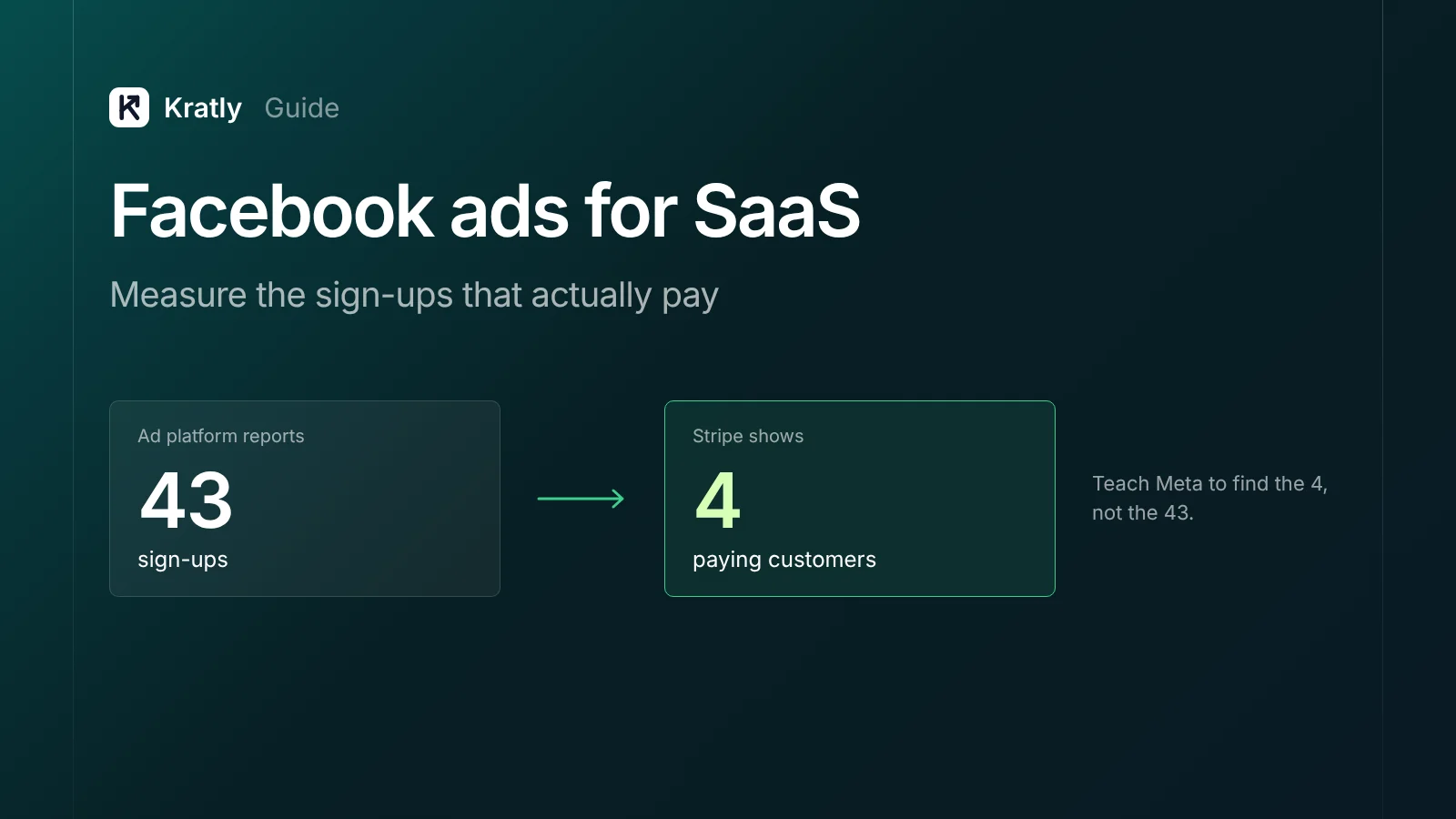
Meta can find you sign-ups cheaply. The trouble starts when you check Stripe. One founder on Indie Hackers: "Thought I had 43 users. Turns out I only had about 10." The sign-up event was firing when people started a quiz, not when they finished (Indie Hackers).
On r/FacebookAds, a reply to a SaaS founder put the deeper problem in one line: "Cheap traffic usually just teaches Meta how to find cheap traffic" (r/FacebookAds).
This guide shows how to teach Meta to find people who pay.
Why Facebook ads for SaaS bring sign-ups that don't pay#
Three things usually go wrong.
1. The event fires too early. If "Lead" or "CompleteRegistration" fires on a form view, a quiz start or an email capture, Meta counts people who never finished. Fire events only when the action is complete, on the server.
2. Meta is optimising for the wrong thing. If your campaign optimises for sign-ups, Meta finds people likely to sign up. That's not the same as people likely to pay. A SaaS company that dropped its card requirement saw weekly sign-ups jump from about 70 to about 350, while trial-to-paid "dropped to almost 0" from about 13% (Indie Hackers). Cheap sign-ups and paying customers are different audiences.
3. Meta never hears about the payment. The payment happens in Stripe, often weeks later and inside your app. Without a server-side event, Meta has no idea which sign-ups paid.
The same problem exists on Google. Our guide to Google Ads wasted spend covers it as leak 7: bidding to sign-ups instead of paying customers.
Which Meta event to optimise for#
Meta's standard events for subscriptions (Meta for Developers):
| Event | When to fire it | Value |
|---|---|---|
CompleteRegistration | Account created | Optional |
StartTrial | Trial started | Optional value, currency, predicted_ltv |
Subscribe | Paid subscription started | Optional value, currency, predicted_ltv |
Purchase | Any payment | value and currency required |
Which to optimise for depends on volume:
| Your situation | Optimise for | Why |
|---|---|---|
| Few payments a week | StartTrial, with a predicted value | Meta needs enough events to learn |
| 30+ paid events with 5+ different values in 14 days | Purchase or Subscribe, with value optimisation | Meets commonly reported thresholds for value optimisation (Jon Loomer) |
| 100+ attributed conversions a week for 4 weeks | Predicted lifetime value (pLTV) optimisation | Meta's stated requirement (Meta for Developers) |
Watch the window. Meta's default attribution is 7-day click. If your trial is 14 days, the payment lands outside that window, so optimising for Subscribe directly may not work until you shorten the trial or use a predicted value on StartTrial.
Using a predicted value: send StartTrial with a predicted_ltv based on who usually pays. For example, a trial from a company email with a connected integration is worth more than one from a free email with nothing set up. That teaches Meta which trials matter, before the payment exists.
Meta Conversions API with Stripe: the setup#
The Conversions API (CAPI) sends events from your server to Meta. Meta recommends using it alongside the Pixel (Meta for Developers).
Step 1: Capture Meta identifiers at sign-up#
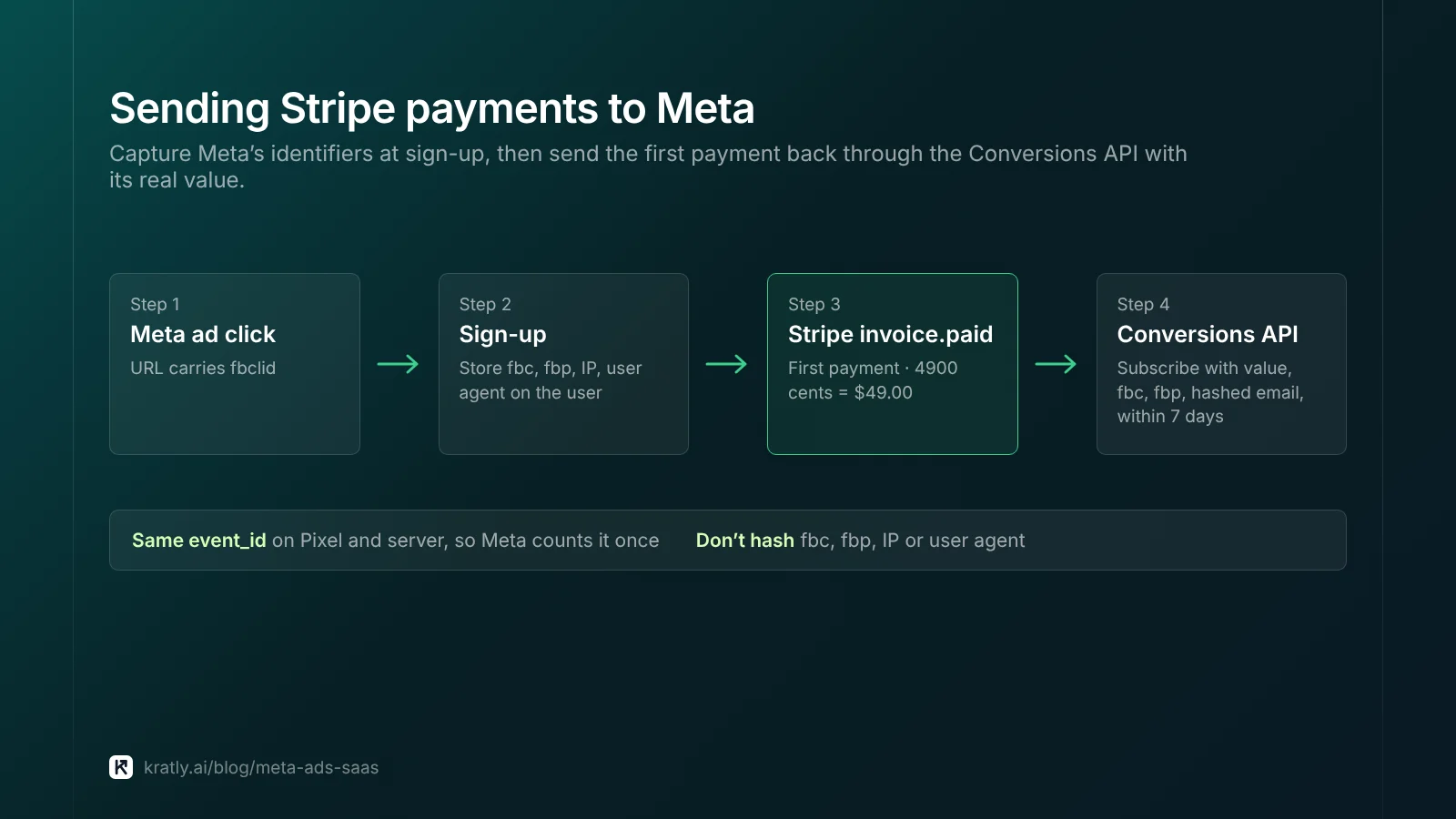
When a visitor lands from a Meta ad, the URL carries fbclid and the Pixel sets the _fbc and _fbp cookies. Save these on the user record at sign-up, along with IP address and user agent.
The fbc value follows the format fb.subdomainIndex.creationTime.fbclid. Meta says to store it in your backend and send it with every CAPI event (Meta for Developers).
Step 2: Fire StartTrial through Pixel and CAPI#
Send the same event from the browser and the server, with the same event_id. Meta treats them as one event if event_id and event_name match and they arrive within 48 hours.
Step 3: Send the payment from your Stripe webhook#
When Stripe fires invoice.paid for the first payment, send Subscribe or Purchase to Meta with:
- The real
valueandcurrency(Stripe amounts are in cents: 4900 means $49.00) - The stored
fbcandfbp - Hashed email and phone
action_sourceset towebsitefor the first payment- An
event_timewithin the last 7 days. Older events cause an error for the whole request (Meta for Developers)
For automatic renewals, Meta's docs describe action_source=system_generated.
Step 4: Check match quality#
Meta's Event Match Quality score runs from 1 to 10. Email, phone, IP, user agent, fbp and fbc carry the most weight (Meta for Developers). Hash email and phone. Don't hash fbc, fbp, IP or user agent.
No-code option: Zapier can connect Stripe events to Meta's Conversions API (Zapier). Check that it passes fbc, fbp and a dollar value, or match quality will suffer.
The same capture-and-send pattern works for Google. See track Stripe conversions in Google Ads.
Attribution windows: what changed in 2026#
Meta's reporting has shifted, so older guides may mislead you.
- January 12, 2026: Meta stopped returning 7-day and 28-day view-through data in its Ads Insights API (PPC Land).
- March 2026: Meta redefined click-through to require a real link click. Shares, saves and other interactions moved into a separate "engage-through" category (Social Media Today).
- Current defaults are 7-day click, 1-day engage-through and 1-day view, according to one well-known Meta ads educator (Jon Loomer).
What this means for SaaS: Meta's window is short compared with most trials. Ads Manager will under-count payments that come late. Report paying customers by campaign from your own data, joined to Stripe.
Meta ads for B2B: what still works#
Meta has removed many detailed targeting options over the years, in 2022 and 2024 (Social Media Today), and blocked detailed targeting exclusions for new ad sets in 2025 (PPC Land).
So for B2B, the signal you send matters more than the targeting you pick:
- Creative does the targeting. Speak to one role and one problem. "Finance leads: stop rebuilding the month-end report" filters better than any interest.
- Feed it payment data. Value-based optimisation on real Stripe revenue tells Meta which companies pay.
- Use customer lists for lookalikes and exclusions, built from paying customers, not all sign-ups.
For benchmarks, WordStream's 2025 data on lead campaigns shows an average cost per lead of $27.66 across industries (WordStream). There's no SaaS category, so treat it as background only. Your cost per paying customer is the number that matters.
How to know Meta ads are really working#
Meta's reports show who saw or clicked an ad before converting. They can't show who would have converted anyway.
Run a holdout: keep 10–20% of your audience from seeing ads, then compare Stripe payments between the groups (Triple Whale). Meta offers Conversion Lift studies for this, or you can run a geographic holdout. See our guide to the marketing incrementality test.
How to do this in Kratly#
- Connect Meta, your site and Stripe. Kratly captures Meta click IDs at sign-up.
- Send payments back to Meta. Add a Conversions API access token and Kratly sends paid conversions with their Stripe value.
- See paying customers by campaign. Kratly shows cost per paying customer for every Meta campaign, beyond Meta's attribution window.
- Move budget to what pays. Compare Meta with Google on Stripe revenue and shift spend.
Go deeper: Meta Conversions API: set it up and check it sends real purchases
Questions, answered
Do Facebook ads work for B2B SaaS?
They can, especially for products with a clear problem and a short trial. Results depend on sending Meta real payment data so it learns who pays, and on creative that speaks to one role and problem. Judge Meta on cost per paying customer and check lift with a holdout.
Should I optimise Meta ads for trials or purchases?
Optimise for trials, with a predicted value, until you have enough payments for Meta to learn from. Commonly reported thresholds are about 30 paid events with varied values in 14 days for value optimisation. If your trial is longer than 7 days, payments may fall outside Meta's default window.
How do I send Stripe events to Meta?
Store Meta's fbc and fbp on the user at sign-up. When Stripe confirms the first payment, send a Subscribe or Purchase event to the Conversions API with the value, currency, stored identifiers and hashed email. Do it through your own server, a connector such as Zapier, or a tool that handles it.
Why does Meta show more conversions than I have customers?
Events may fire too early, such as on form start; Pixel and server events may be double-counted without a shared event_id; or Meta may count sign-ups that never pay. Fire events on completion, deduplicate, and compare with Stripe.
Does the Meta Pixel still work after iOS privacy changes?
It works, but it misses more than it used to. Apple's App Tracking Transparency and browser limits reduce what the Pixel can see. Sending server-side events through the Conversions API, with good customer data, recovers much of the signal.
Written by
Priyansh Kumar
Priyansh Kumar has spent more than a decade in growth, scaling brands from 1 to 10 and from 10 to 100. He now builds Kratly, an autonomous growth team that ties every campaign, page and email to the revenue it brings.
Sources
- Meta for Developers: Standard events · Deduplicate Pixel and server events · fbp and fbc · Server event parameters · Optimal setup guide · Predicted lifetime value
- PPC Land: Meta attribution window changes (Jan 2026) · Social Media Today: Click-through redefined (Mar 2026)
- Jon Loomer: Meta ads attribution 2026 · Value optimization requirements
- WordStream: Facebook ads benchmarks 2025
Was this article useful?