Short answer
Google Ads reaches far more searchers. Microsoft Advertising (Bing Ads) reaches fewer, but its share roughly doubles on desktop, where much B2B buying happens, and it offers LinkedIn profile targeting. For B2B SaaS, Bing Ads is worth a controlled test once Google works: import carefully, block partner traffic and judge it by Stripe revenue.
Advertisers who try Microsoft Ads tend to report the same mix. On r/PPC, one wrote that "Avg Cpc never crossed $2 and CVR 4%+." Another got "about 2 to 3 a month" in leads. A third warned about budget going to "scam partner websites" (r/PPC).
Cheaper clicks, less volume, more junk risk. Whether that adds up to revenue depends on how you set it up and how you measure it.
Bing Ads vs Google Ads: the key differences#
| Google Ads | Microsoft Advertising | |
|---|---|---|
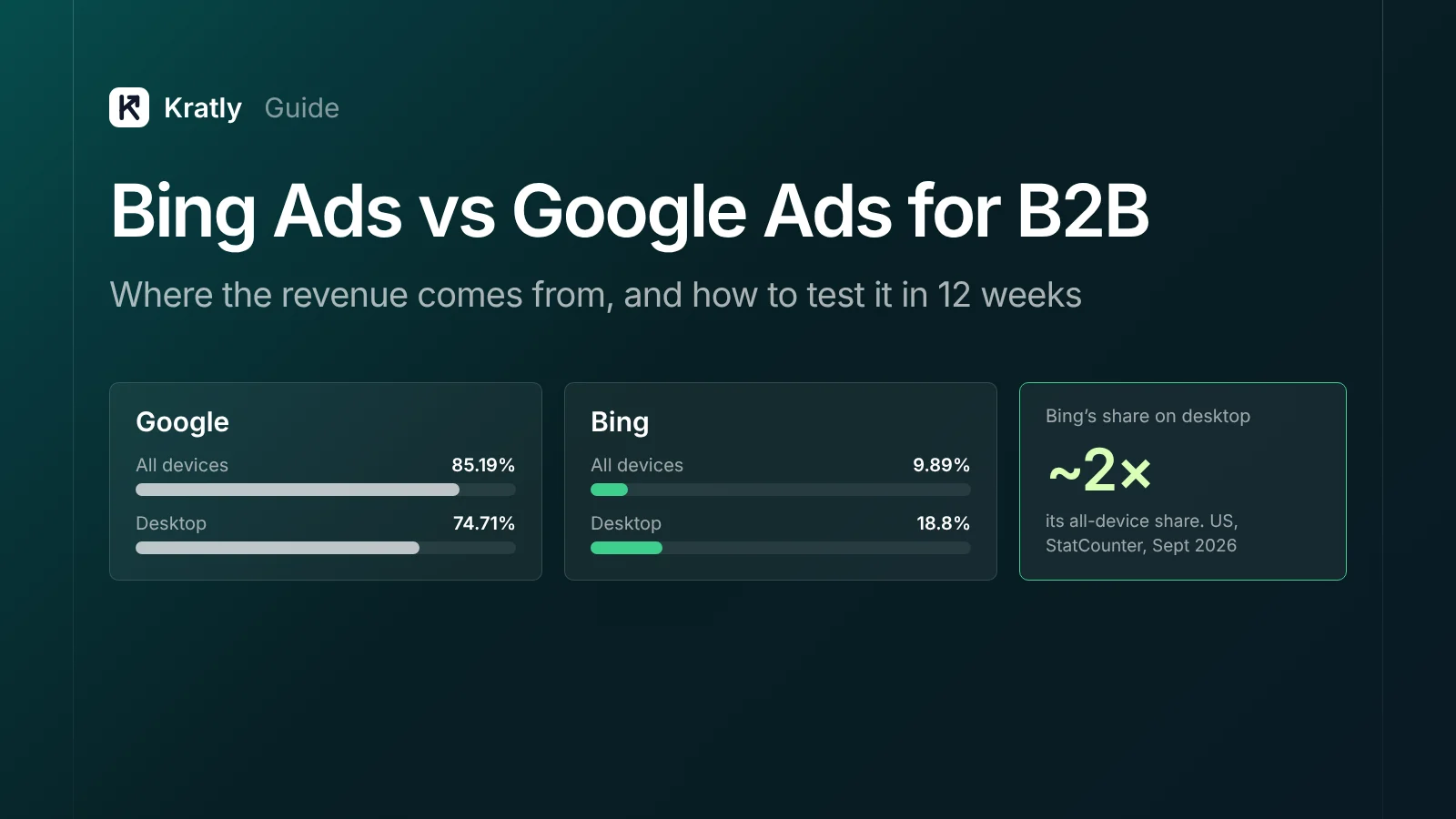
| US search share, all devices | 85.19% | Bing 9.89% (plus Yahoo 2.64%) |
| US search share, desktop | 74.71% | Bing 18.8% (plus Yahoo 4.11%) |
| B2B targeting | Audiences and customer lists | LinkedIn profile targeting: company, industry, job function, seniority |
| AI surfaces | AI Overviews and AI Mode | Copilot |
| Offline conversions | GCLID upload, within 90 days | MSCLKID upload, within 90 days |
| Partner traffic | Search Partners, Display | Syndicated search partners, Audience Network |
| Import | — | Google Import tool copies campaigns |
Search share: StatCounter, September 2026, all platforms and desktop.
On cost per click: many guides claim Bing clicks cost 30–50% less, usually with no source. The only benchmark we found that separates Microsoft out is old: WordStream's 2017 data showed an average Bing CPC of $1.54, 33% lower than Google (WordStream). Current benchmarks blend the two. Measure your own.
Why Microsoft Advertising can suit B2B#
1. Desktop, during work hours#
Bing's US share is almost twice as high on desktop as across all devices. Windows PCs default to Edge and Bing, and many companies leave that in place. If your buyers research software at their desks, a bigger share of them use Bing than the overall figures suggest.
2. LinkedIn profile targeting#
This is the feature Google can't match. Microsoft Advertising lets you target or adjust bids by LinkedIn company, industry and job function (Microsoft Advertising). In 2026 it added job seniority to Search campaigns (PPC Land).
Use it in observation mode first. That collects data on which companies, roles and seniority levels click and pay, without limiting reach. Then raise bids on the segments that bring paying accounts.
3. Copilot#
Ads can show inside Microsoft Copilot answers, drawn from responsive search ads, Performance Max ads with a logo and some other formats. There's no separate Copilot report yet, according to one agency's testing (JumpFly).
One caution: ChatGPT now runs its own ad platform. Microsoft Ads do not serve in ChatGPT (Axios).
The risks: partner traffic, junk leads and imports#
Syndicated partners and the Audience Network#
By default, Microsoft search ads can show on partner sites, and ad groups can serve on the Audience Network. Advertisers report bot-like traffic even after excluding partners (r/PPC). In 2025 an agency told Microsoft about fake B2B leads from what it called a "very sophisticated click farm" (MediaPost).
How to lock it down:
- Set ad distribution to Bing, AOL and Yahoo (owned and operated) only for your first test (JumpFly).
- Set the Audience ads bid adjustment to −100% on search ad groups.
- Use website exclusion lists: up to 10,000 sites per list and 100 lists per account (PPC Land).
- Check the publisher websites report weekly once you open partners back up.
Imports from Google that quietly break#
The Google Import tool copies "most supported campaigns, ads, targets, ad extensions" and can repeat on a schedule (Microsoft Learn). What it doesn't fix, according to one agency checklist (Pink Dog Digital):
- Smart Bidding strategies don't carry over
- Conversion tracking needs setting up again
- Partner distribution may be on
- Location targeting can come in broader than intended
- Time zones can shift
As one r/PPC advertiser put it, don't "just dump Google Ads campaigns into MS and expect it to work."
Performance Max without guardrails#
Microsoft's Performance Max now supports negative keyword lists of up to 5,000 terms, at campaign or account level, and you can import negatives from Google (Microsoft Advertising). Leave PMax out of your first test, or add these before launch.
Many of the same leaks apply on both platforms. See Google Ads wasted spend: the 9 places your budget leaks.
Are Bing Ads worth it? A 12-week test plan#
Weeks 1–2: set up#
- Import once, not on a schedule. Start with your best-performing Google Search campaigns.
- Fix the imported settings: owned and operated only, Audience ads −100%, location "people in" the US, correct time zone.
- Start with phrase and exact match. Import your negative keyword lists too.
- Install the UET tag and set up conversion goals.
- Store the click ID. Save
msclkidalongsidegclidwhen visitors land, and copy it onto the user at sign-up.
Weeks 1–12: send revenue back#
When Stripe confirms a first payment, upload it as an offline conversion with its value. Microsoft accepts conversions up to 90 days after the click, and the conversion window can be set up to 90 days. Wait about 2 hours after creating the goal before uploading (Microsoft Learn).
This is the same pattern as Google's offline import: see track Stripe conversions in Google Ads.
Weeks 3–8: add LinkedIn data#
Add company, industry, job function and seniority in observation mode. After a few weeks, compare which segments brought paying customers, then raise bids on those.
Weeks 9–12: decide#
Compare Microsoft with Google on cost per paying customer and payback, not clicks or leads.
| What you see | Do this |
|---|---|
| Cost per paying customer within about 20% of Google's, with several paid customers | Scale budget gradually; test partners with exclusions |
| Leads but few paying customers | Check lead quality; tighten match types and LinkedIn bids |
| Fake or junk leads above Google's rate | Stay owned and operated only; add exclusions; report invalid traffic |
| No paying customers after 2× your target cost per customer | Pause, following our when to pause rules |
These thresholds are our suggestion. Adjust them to your margins.
How to do this in Kratly#
- Connect Google Ads, Microsoft Advertising and Stripe. Microsoft connects through a script that runs inside your account, so no developer token is needed.
- Compare side by side. See cost per paying customer and revenue for Google and Microsoft campaigns in one view.
- Spot the campaigns that don't pay. Kratly shows Microsoft campaigns that spend without bringing paying customers, next to their Google equivalents.
- Move budget to what pays. Shift spend between platforms based on Stripe revenue, and Kratly measures the result.
Questions, answered
Are Bing Ads worth it for B2B?
Often, as a second channel once Google Ads is profitable. Bing's share is much higher on desktop, and LinkedIn profile targeting helps reach the right companies and roles. Volume is lower and partner traffic needs controls, so test it for about 12 weeks and judge by paying customers.
Are Bing Ads cheaper than Google Ads?
Clicks are often cheaper, but there's little current, independent data. The last benchmark that separated the two, from 2017, found Bing CPCs 33% lower. Cheaper clicks only matter if they turn into paying customers, so compare cost per paying customer.
Does Microsoft Ads still have LinkedIn targeting?
Yes. Microsoft Advertising lets you target or adjust bids by LinkedIn company, industry and job function, and added job seniority for Search campaigns in 2026. Start in observation mode to learn which segments pay before narrowing your reach.
Can I import Google Ads campaigns into Microsoft Ads?
Yes, with the Google Import tool. It copies most campaigns, ads, targets and extensions. Check bidding, conversion tracking, partner distribution, location targeting and time zones afterwards, because those often don't carry over cleanly.
How do I stop junk traffic in Microsoft Ads?
Set ad distribution to owned and operated sites only, set Audience ads to −100% on search ad groups, and add website exclusion lists. Review the publisher websites report regularly and report suspected invalid traffic to Microsoft.
Written by
Priyansh Kumar
Priyansh Kumar has spent more than a decade in growth, scaling brands from 1 to 10 and from 10 to 100. He now builds Kratly, an autonomous growth team that ties every campaign, page and email to the revenue it brings.
Sources
- StatCounter: US search engine share, all platforms · US desktop
- Microsoft Advertising: Audience targeting · PMax negative keywords (March 2026)
- Microsoft Learn: Google Import · Offline conversion goals
- PPC Land: LinkedIn seniority targeting · Website exclusion tools
- WordStream: Bing Ads benchmarks (2017 data) · MediaPost: Invalid traffic report (2025)
Was this article useful?