Short answer
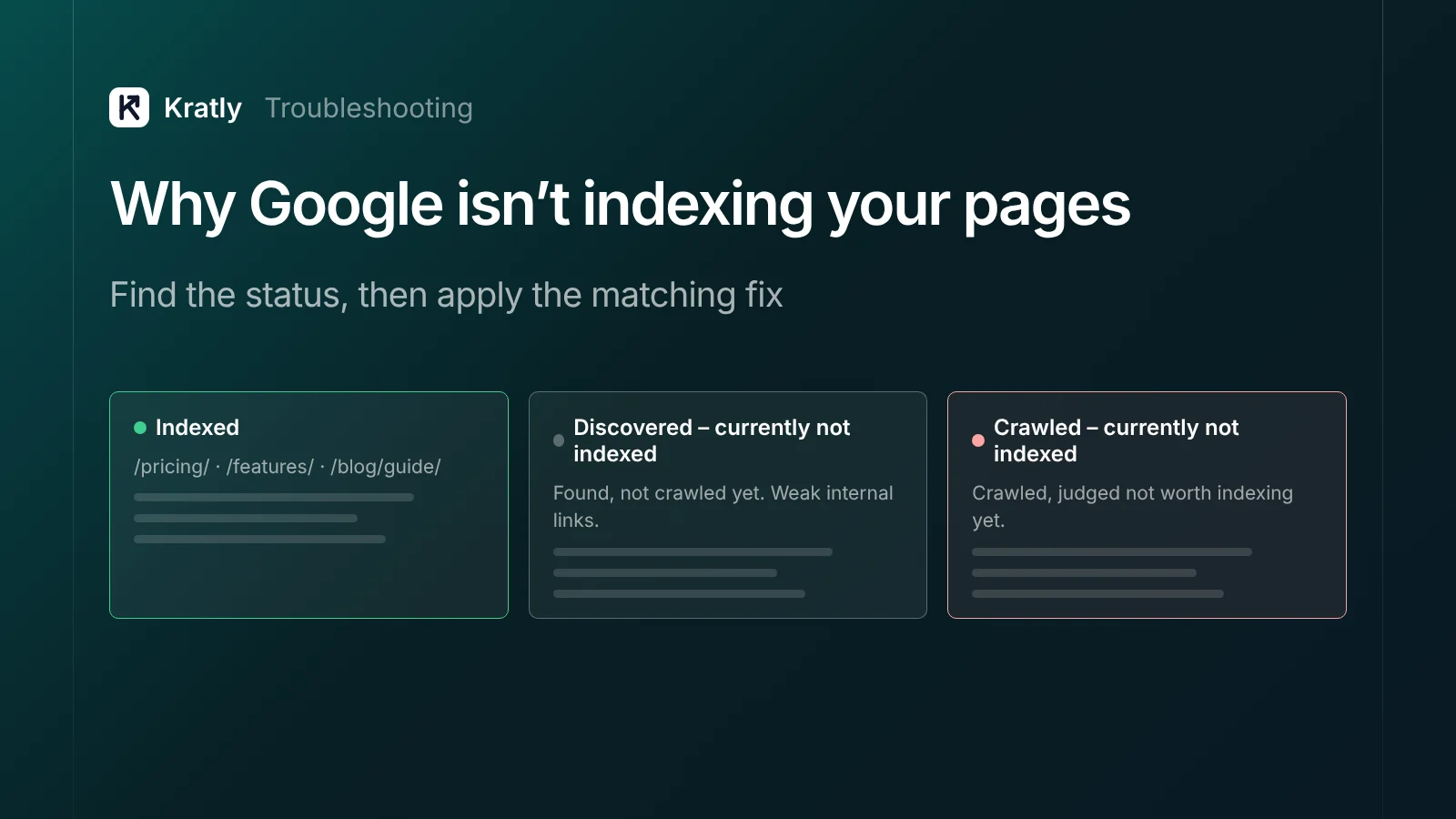
When Google isn't indexing your pages, open Search Console's Page indexing report and find the status. "Discovered – currently not indexed" usually means weak internal links or crawl demand. "Crawled – currently not indexed" usually means Google doubts the page's value. Noindex, robots.txt, redirects, soft 404s and duplicates each have a direct fix.
You launched the site, submitted the sitemap and waited. One founder on Indie Hackers, two weeks in: "Google Search Console has indexed exactly ZERO pages. Not one" (Indie Hackers).
Sometimes that's just early days. Sometimes it's a setting. And sometimes, as Google's John Mueller told one site owner, "that's a sign that our systems aren't convinced about the site overall" (Bluesky). This guide helps you tell which.
First, check the page really isn't indexed#
Paste the URL into URL Inspection in Search Console. It tells you whether the page is indexed, when it was last crawled and which canonical Google chose. The site: search is a rough guide, not a reliable check.
Then open Indexing › Pages to see every URL that isn't indexed, grouped by reason.
Keep one point in mind. Google says: "You should not expect all URLs on your site to be indexed, only the canonical pages," and "Non-indexed URLs can be fine" (Search Console Help). A store with 40 products can show thousands of non-indexed variant URLs, and that's often normal (Shopify Community).
Focus on the pages that matter: your product, pricing, comparison and best content pages.
Every indexing status: what it means and the fix#
| Status in Search Console | What it means | Fix |
|---|---|---|
| Crawled – currently not indexed | Google crawled the page and chose not to index it, for now | Improve or merge the page; see below |
| Discovered – currently not indexed | Google knows the URL but hasn't crawled it yet | Add internal links; reduce low-value URLs; see below |
| Excluded by 'noindex' tag | The page asks not to be indexed | Remove noindex if you want it indexed |
| Blocked by robots.txt | Google can't crawl it | Remove the Disallow rule if the page should rank |
| Duplicate without user-selected canonical | Google picked another URL as the main version | Add a canonical tag to the version you want |
| Alternate page with proper canonical tag | Your canonical points elsewhere, as intended | Nothing to do (Search Console Help) |
| Page with redirect | The URL redirects | Nothing, unless the redirect is a mistake. Keep redirecting URLs out of your sitemap |
| Soft 404 | The page looks empty or "not found" but returns a 200 code | Add real content, or return a proper 404 |
| Not found (404) | The page doesn't exist | Fine if deleted on purpose; otherwise fix the link or redirect |
| Server error (5xx) | Your server failed when Google asked | Fix hosting, timeouts or firewall rules blocking Googlebot |
After fixing, click Validate fix once. Google says validation "typically takes up to about two weeks."
Crawled – currently not indexed#
This is the most common and most frustrating status. Google visited the page and decided not to add it to the index, at least for now.
Google is fairly direct about why. On its Search Off the Record podcast in July 2026, Mueller said that if Google's systems "are seriously worried about the quality of a website," they "will reduce the number of pages at the index." His advice: "take a step back and think about the quality overall" (Search Engine Roundtable).
Google's community guide adds that this status "doesn't necessarily mean there's a technical problem" and "There's no magic bullet" (Search Central Community).
Fixes, in order:
- Make the page worth indexing. Add something the pages already ranking don't have: first-hand data, real screenshots, a working example, a clear answer.
- Merge near-duplicates. Five thin pages on the same topic compete with each other. One strong page wins.
- Check the rendered page. In URL Inspection, view the crawled page's HTML. If your main content is missing, it's a JavaScript problem.
- Link to it from strong pages. A page linked from your homepage or a popular guide signals it matters.
- Look at the whole site. If many pages have this status, prune or improve the weakest content across the site, not just one page.
Discovered – currently not indexed#
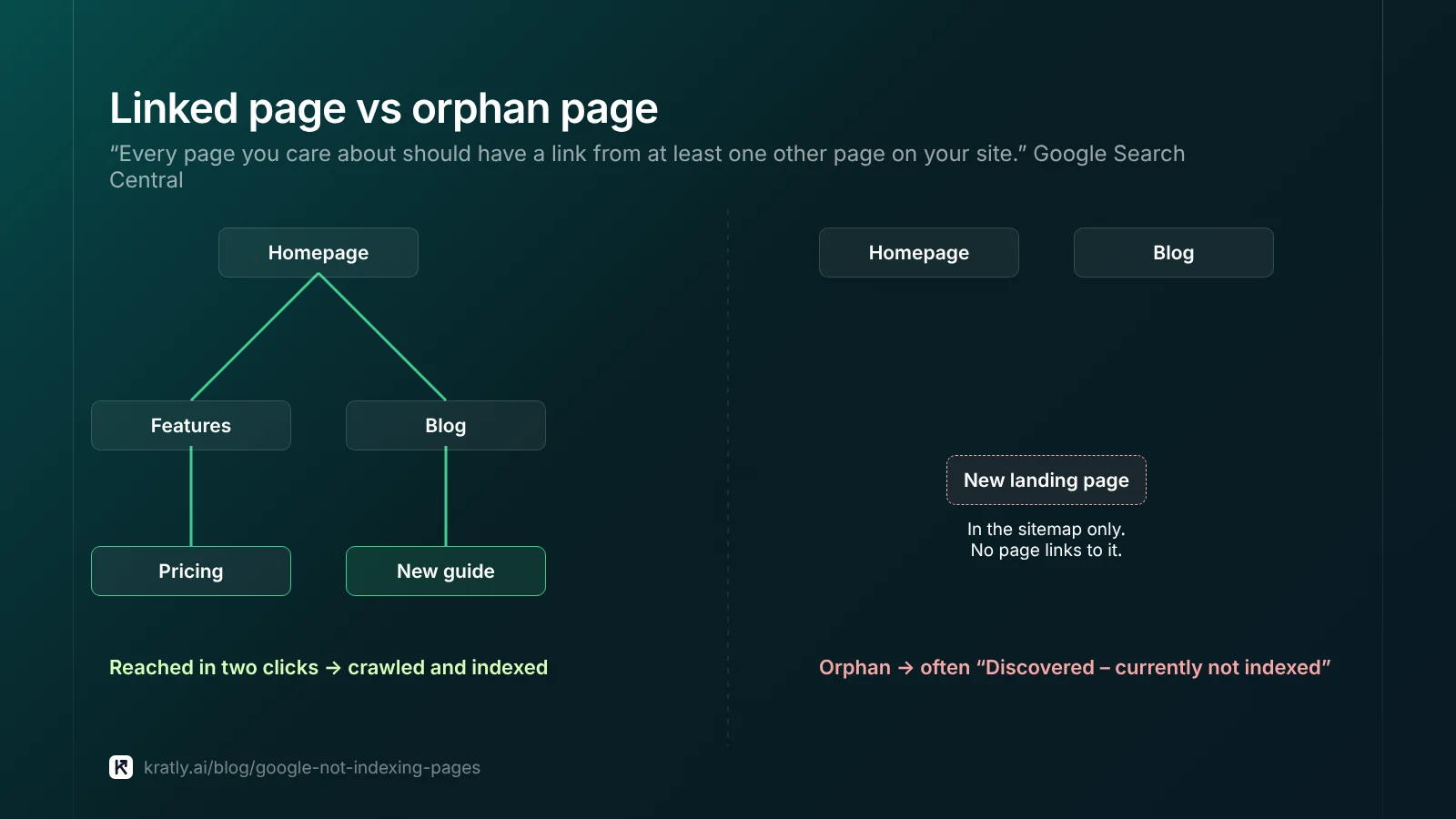
Google found the URL, usually through a link or your sitemap, but hasn't crawled it yet. Google says it typically reschedules to avoid overloading your site (Search Console Help).
Common causes:
- Orphan or weakly linked pages. Google says: "Every page you care about should have a link from at least one other page on your site" (Google Search Central). Links must be real
<a href>links. - Too many low-value URLs. Filters, tag pages, parameters and thin programmatic pages compete for Google's attention.
- A slow or erroring server. Google crawls less when your site responds slowly.
Crawl budget is often blamed, but Google's crawl budget guide is aimed at large sites, roughly 1 million or more pages, or 10,000 or more pages changing daily (Google). For most SaaS and small store sites, the issue is links and quality, not budget.
Sitemap errors, and what sitemaps can't do#
A sitemap helps Google find URLs, but Google calls it "merely a hint" (Google Search Central). It doesn't force indexing.
Rules from Google's documentation:
- Up to 50,000 URLs or 50MB uncompressed per sitemap file. Use a sitemap index for more.
- Google uses
<lastmod>only if it's "consistently and verifiably" accurate. Don't update it on every deploy. - "Google ignores
<priority>and<changefreq>values."
Common sitemap errors to fix:
- URLs that redirect, return 404 or carry
noindex - Non-canonical URLs (variants, parameters, http or www duplicates)
- Staging or development URLs
- A sitemap blocked by robots.txt or behind a login
List only the canonical, indexable pages you want in Google.
JavaScript sites: is Google seeing your content?#
Many SaaS marketing sites are built with JavaScript frameworks. Google processes pages in three phases: crawl, render, then index. Rendering can be quick, but can take longer (Google Search Central).
Watch for these:
- Content that only appears after JavaScript runs. If rendering fails, Google sees an empty page. Check the rendered HTML in URL Inspection.
- A
noindexremoved by JavaScript. If Google seesnoindexin the initial HTML, it may skip rendering, so your script never runs. - Error pages. On pages that don't return a 200 code, Google may skip rendering.
Server-side rendering or static generation for marketing pages avoids most of these problems.
Does IndexNow work for Google?#
No. IndexNow is a protocol that tells search engines when your pages change. It's supported by Bing, Yandex, Naver, Seznam, Yep and Amazon (IndexNow). Google said in 2021 that it would test it (Search Engine Land), but it isn't listed as a participant.
IndexNow is still worth setting up. It gets your pages into Bing faster, and Bing's index feeds Copilot and other AI tools. For Google, use your sitemap, internal links and URL Inspection.
Google's Indexing API isn't a shortcut either. It's only for pages with JobPosting or BroadcastEvent structured data, and misuse "may result in access being revoked" (Google Developers).
How long does Google take to index a page?#
Google says crawling "can take anywhere from a few days to a few weeks," and requesting a recrawl many times "won't get it crawled any faster" (Google Search Central). The URL Inspection tool has a daily request limit, and a request "does not guarantee" indexing (Search Console Help).
Third-party data gives a sense of scale. In IndexCheckr's study of about 16 million pages, 61.94% weren't indexed and indexed pages took 27.4 days on average (IndexCheckr). Its sample came from sites using indexing tools, so treat it as a rough guide.
Be wary of "index in minutes" services. In the same study, only 29.37% of URLs submitted through indexing tools got indexed.
How to do this in Kratly#
- Run the free indexing checker. Enter your site. No sign-up needed.
- See what blocks Google. It reads your robots.txt and sitemap and checks up to 20 pages across the sitemap.
- Get the fix for each. It flags noindex tags, blocked pages, 404s and redirects in the sitemap, and wrong canonicals.
- Keep it fixed. Inside Kratly, the indexing view hosts your sitemap and sends changed pages to Bing and others through IndexNow.
Once your pages are indexed, the next step is getting them quoted in AI answers. See how to get cited in Google AI Overviews. If you're deciding which pages to build in the first place, start with SaaS SEO: the pages that bring paying customers.
Questions, answered
Why is Google not indexing my pages?
The most common reasons are a noindex tag or robots.txt block, weak internal links, duplicate pages, empty content after JavaScript, and Google judging the page low in value. Find the exact reason in Search Console's Page indexing report, then apply the matching fix.
What does "Crawled – currently not indexed" mean?
Google crawled the page and chose not to index it for now. It usually reflects quality or duplication rather than a technical error. Improve the page with unique value, merge near-duplicates, link to it from strong pages and check the rendered HTML.
What does "Discovered – currently not indexed" mean?
Google knows the URL exists but hasn't crawled it yet. It usually means the page has few internal links, the site has many low-value URLs, or the server is slow. Link to it from important pages and clean up thin URLs.
Does Google support IndexNow?
No. IndexNow is supported by Bing, Yandex, Naver, Seznam, Yep and Amazon, but not Google. It's still useful for getting pages into Bing and the AI tools that draw on it. For Google, rely on sitemaps, internal links and URL Inspection.
How long does it take Google to index a new page?
Usually a few days to a few weeks, according to Google. New sites and pages with few links can take longer. Requesting indexing once is fine; requesting it repeatedly doesn't speed things up.
Written by
Priyansh Kumar
Priyansh Kumar has spent more than a decade in growth, scaling brands from 1 to 10 and from 10 to 100. He now builds Kratly, an autonomous growth team that ties every campaign, page and email to the revenue it brings.
Sources
- Search Console Help: Page indexing report · URL Inspection tool
- Google Search Central: Crawlable links · Build a sitemap · JavaScript SEO basics · Ask Google to recrawl · Crawl budget · Indexing API
- Search Central Community: Crawled – currently not indexed
- Search Engine Roundtable: Google on crawled, not indexed and quality (July 2026)
- IndexNow: FAQ · IndexCheckr: Google indexing study
Was this article useful?