Short answer
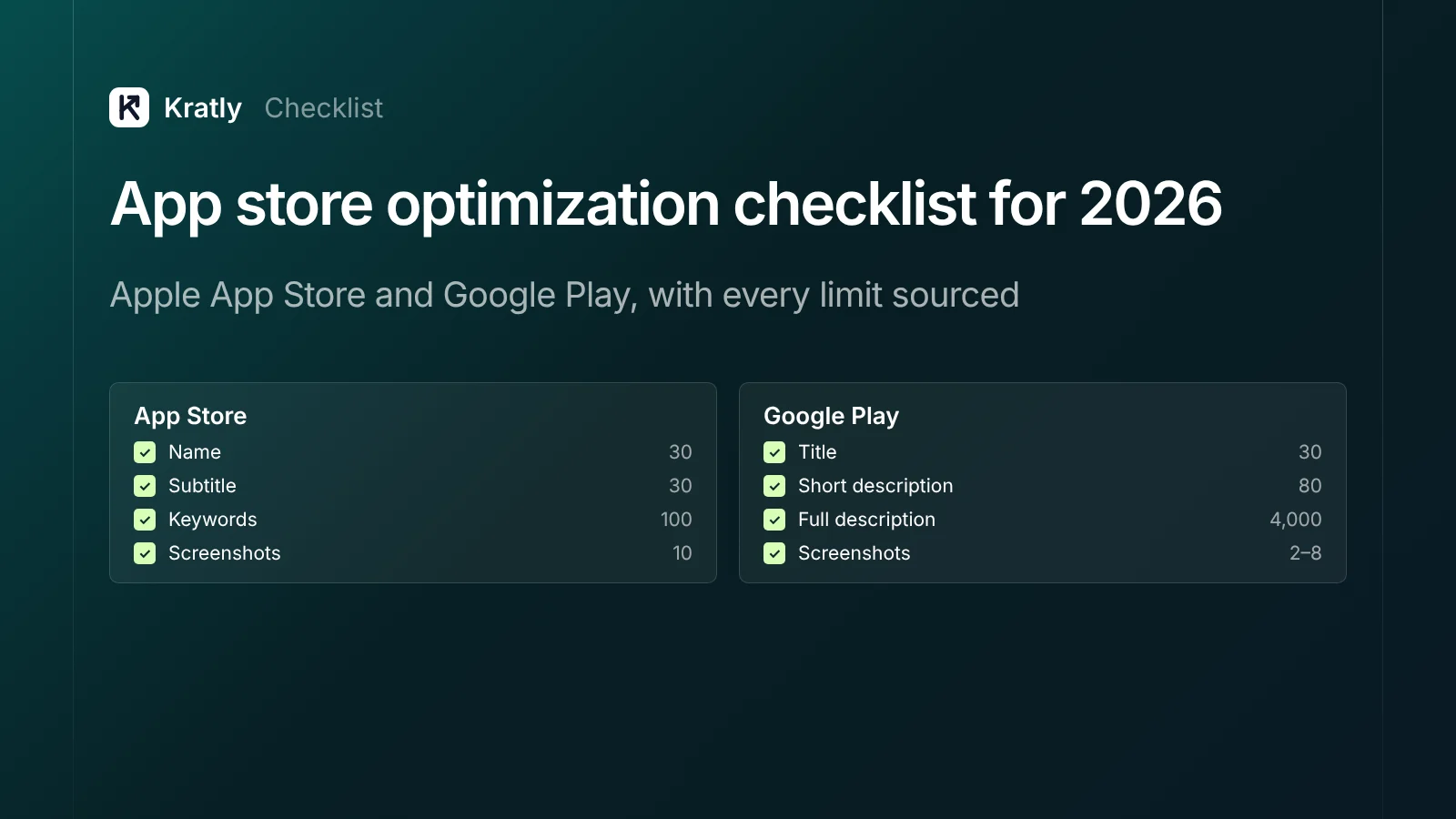
An app store optimization checklist covers seven areas: keyword research, metadata within each store's limits, screenshots and video, ratings and reviews, app quality, store experiments and measurement. Apple ranks on title, subtitle, keywords, category and user behaviour. Google Play also reads your full description. New in 2025–26: keyword-linked custom product pages, App Store tags and new header assets.
Most app listings are written once at launch and never touched again. Meanwhile, Apple says almost 65% of downloads happen directly after a search, and 70% of App Store visitors use search (Apple Ads, 2022 data). Your listing is your landing page for most installs.
This checklist uses Apple's and Google's own documentation, with every limit linked to its source.
The app store optimization checklist at a glance#
| Element | Apple App Store | Google Play |
|---|---|---|
| Title / name | 30 characters | 30 characters |
| Subtitle / short description | 30 characters | 80 characters |
| Keyword field | 100 characters (or bytes), comma-separated | None |
| Promotional text | 170 characters; not used for search ranking | — |
| Description | 4,000 characters | 4,000 characters |
| Screenshots | Up to 10 per device size | 2–8 per device type |
| Video | Up to 3 app previews, up to 30 seconds | 1 video; first 30 seconds autoplay |
| A/B tests | Product Page Optimization: up to 3 treatments | Store listing experiments: up to 2 variants |
| Custom pages | Up to 70 custom product pages, with keywords | Up to 50 custom store listings |
Sources: Apple product page, Apple platform version information, Google Play metadata, Google Play graphics.
1. Keyword research#
Apple ranks apps on "text relevance… as well as user behavior (downloads, ratings and reviews, and more)." Text relevance comes from your title, subtitle, keywords and primary category (Apple).
- List the words users type for the problem your app solves, not your feature names
- Check competitors' titles and subtitles for terms they target
- Use App Store and Play search suggestions to find real phrases
- Group keywords by intent: problem ("budget tracker"), audience ("for couples"), feature ("receipt scanner")
- Pick a few high-intent terms for the title and subtitle; put the rest in the keyword field (Apple) or description (Play)
2. Metadata: Apple App Store#
App name (30 characters). Brand plus your most important keyword, if it reads naturally.
Subtitle (30 characters). A second keyword phrase, written as a benefit.
Keyword field (100). Apple's product page guide says 100 characters; its reference page says 100 bytes, which matters for non-Latin scripts (Apple).
- Separate terms with commas, no spaces
- Don't repeat words already in your name or subtitle
- Skip plurals of words you already use, category names and the word "app"
- Don't use other apps' or companies' names. Apple says "Improper use of keywords is a common reason for App Store rejections"
Promotional text (170). Update it any time without a new app version. Apple says it "doesn't affect your app's search ranking," so use it for timely messages (Apple).
Description (4,000). Apple doesn't list the description among its search relevance fields. Write it for people. Apple calls the first sentence "the most important."
App Store tags. Since 2025, Apple generates tags for apps from your metadata, using AI and human review. They appear only in the US, from your en_US metadata. You can deselect tags but not add your own (Apple). Clear metadata gets you better tags.
3. Metadata: Google Play listing optimization#
Title (30), short description (80), full description (4,000) (Google Play).
Google asks for "everyday language, not a list of keywords." Its metadata rules are strict. Don't use:
- Ranking or performance claims ("#1", "Top", "Popular") or award icons
- Prices or promotions ("10% off") in metadata
- "Free" or "No ads" in the title
- ALL CAPS, unless that's your brand
- Irrelevant emoji, unattributed testimonials or comparisons with other apps
- Repeated keywords
Write a full description that explains what the app does, who it's for and what makes it different, in plain sentences. Use your main terms naturally.
4. Screenshots, video and new 2026 assets#
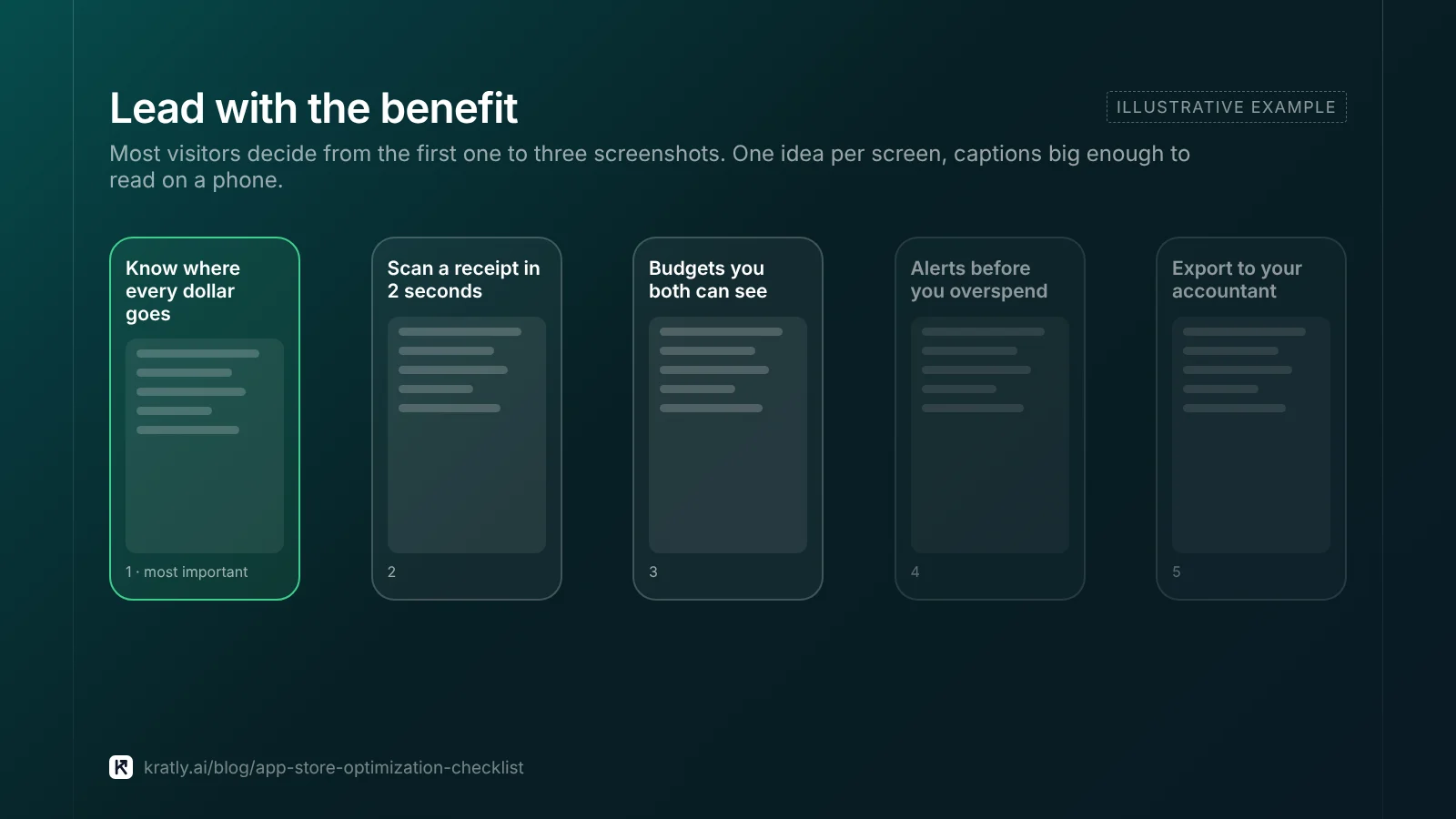
Most visitors decide from the first few screenshots without reading anything.
Apple (Apple):
- Up to 10 screenshots per device size, JPEG or PNG, no transparency
- The required iPhone size, plus 13-inch iPad if your app runs on iPad
- Up to 3 app previews per localization, up to 30 seconds each; they autoplay muted
- Check Apple's screenshot specifications page for new device requirements announced for 2027
Google Play (Google Play):
- Icon 512×512 and feature graphic 1024×500 (required)
- At least 4 screenshots at 1080px or larger to qualify for recommendations (3 for games)
- Video whose first 30 seconds work without sound
Both stores:
- First screenshot states the main benefit in a few words
- Each screenshot shows one real screen and one idea
- Captions large enough to read on a phone
New in October 2026 (Apple). App Store Connect added a product page header, a search results asset and an Asset Library. These show on iOS and iPadOS 27 and later, and approved assets can be swapped without a new review (App Store Connect release notes; WWDC26). Check Apple's current specs before designing them.
5. Ratings and reviews#
Ratings and reviews feed into ranking and into whether people install.
- Apple: use the system prompt. It appears "a maximum of three times within a 365-day period." Don't show it at launch or in response to a button (Apple)
- Google Play: use the In-App Review API. Its quota isn't published, and calling it more than once in less than a month may not show the dialog. Don't ask "Do you like the app?" first (Android Developers)
- Ask after a success moment: a finished task, a goal reached, a saved file
- Reply to reviews, especially negative ones, and fix what they raise
6. App quality and Android vitals#
On Google Play, quality affects visibility directly. If your app goes over Android vitals thresholds, "Play may reduce the visibility of your title" and may show a warning on your listing (Android Developers).
| Metric | Overall threshold | Per phone model |
|---|---|---|
| User-perceived crash rate | 1.09% | 8% |
| User-perceived ANR rate | 0.47% | 8% |
Google judges this on the last 28 days.
- Check Android vitals in Play Console weekly
- Fix the devices pushing you over per-model thresholds
- Watch crash reports in App Store Connect too; crashes drive bad reviews on both stores
7. Experiments, custom pages and events#
Apple Product Page Optimization: test up to 3 treatments of icon, screenshots and previews for up to 90 days, one test at a time (Apple).
Apple custom product pages: since October 2025, you can create up to 70 and assign keywords to each. A page "can appear in search results for those selected keywords instead of your default product page" (Apple). This is one of the biggest ASO changes in years: match the page to the search.
Google Play store listing experiments: test up to 2 variants against your current listing. Localized experiments can also test descriptions (Google Play).
Google Play custom store listings: up to 50, targeted by country, ad traffic, Play search keywords, churned users and more (Google Play).
Events:
- Apple In-App Events: up to 10 published at a time, each 15 minutes to 31 days long (Apple)
- Google Play promotional content: offers, events and major updates, up to 4 weeks each; submit 14 days ahead to be considered for featuring (Google Play)
Localization:
- Localize name, keywords, description, screenshots and previews for each market
- For a US audience, consider a Spanish (US) listing
8. Measure what installs become#
Rankings and installs are inputs. What counts is how many installs become paying users.
- Use App Store Connect Analytics and Play Console acquisition reports to see installs by source: search, browse, referrer
- Track conversion rate from product page view to install for each custom page and experiment
- Join installs to subscriptions on your server, so you know which keywords and pages bring payers
The last step needs your app, store and web data linked on one user ID. Our guide to web to app attribution shows how.
App stores aren't the only search engines that matter. Buyers now ask AI assistants for app recommendations too. See how to get cited in Google AI Overviews.
How to do this in Kratly#
- Run the app store audit. Enter your App Store and Google Play listings.
- See what's missing. Kratly reads your listing back: title, subtitle, description, screenshots, video, rating and how recently you updated.
- Compare with competitors. See the searches your closest competitors rank for and you don't, and what reviewers complain about.
- Fix and connect revenue. Use the suggested title, subtitle and keyword text within the store limits, then join installs to verified store purchases to see which sources bring payers.
Questions, answered
What should an ASO checklist include?
Keyword research; metadata within each store's limits; screenshots and video; ratings and reviews; app quality such as Android vitals; experiments, custom product pages and events; localization; and measurement of installs and paying users by source. Review it monthly.
How many keywords can I use in the App Store?
Apple gives you a 100-character keyword field, separated by commas without spaces, plus your 30-character name and 30-character subtitle. Don't repeat words across them, skip plurals and category names, and don't use competitors' names.
Does Google Play index the full description?
Google doesn't publish its ranking factors, but it asks you to describe your app in everyday language rather than lists of keywords, which suggests the text is read. Write a clear 4,000-character description that uses your main terms naturally, and avoid repetition.
What are custom product pages in the App Store?
They're alternative versions of your product page with different screenshots, previews and text. Since October 2025 you can create up to 70 and link each to keywords, so searchers see the page that fits their search. Google Play's equivalent is custom store listings, up to 50.
How do ratings affect app store ranking?
Apple says ranking uses text relevance and user behaviour, including ratings and reviews. Good ratings also lift the share of visitors who install. Ask for reviews after a success moment, using each store's official prompt, and reply to reviews.
Written by
Priyansh Kumar
Priyansh Kumar has spent more than a decade in growth, scaling brands from 1 to 10 and from 10 to 100. He now builds Kratly, an autonomous growth team that ties every campaign, page and email to the revenue it brings.
Sources
- Apple: Product page · Search · Platform version information · Screenshot specifications · Product Page Optimization · Custom product pages news (Oct 2025) · App tags · In-App Events · Requesting reviews · Release notes · Apple Ads: App Store search
- Google Play Console Help: Metadata policy · Graphic assets · Store listing experiments · Custom store listings · Promotional content
- Android Developers: Android vitals · In-App Review API
Was this article useful?